
On this page
Before you start
Step 1 of 3
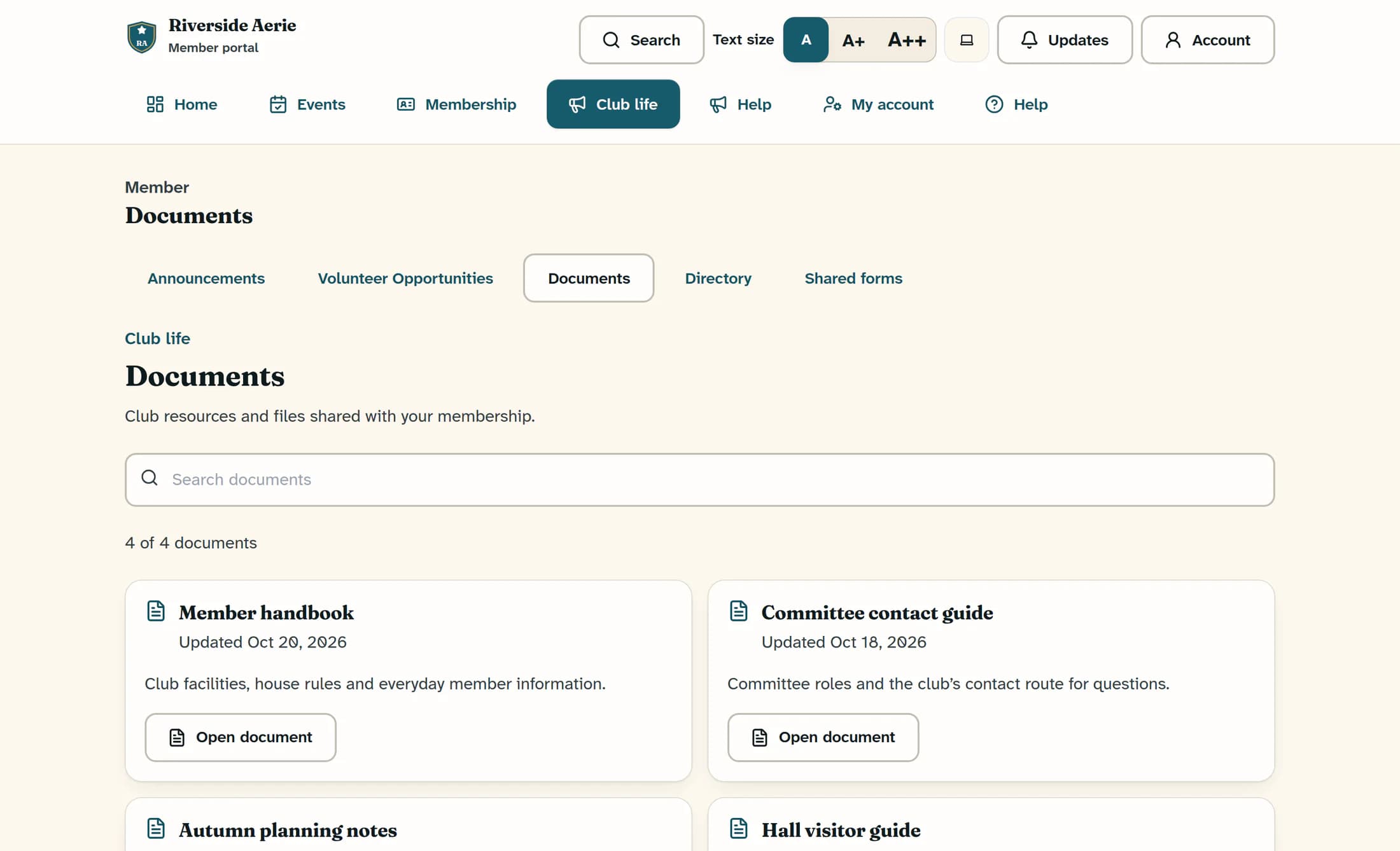
Open your club’s documents
Open Club life, then Documents. Read the titles and descriptions to find the resource you need. The count above the cards shows how many documents are displayed.
Step 2 of 3
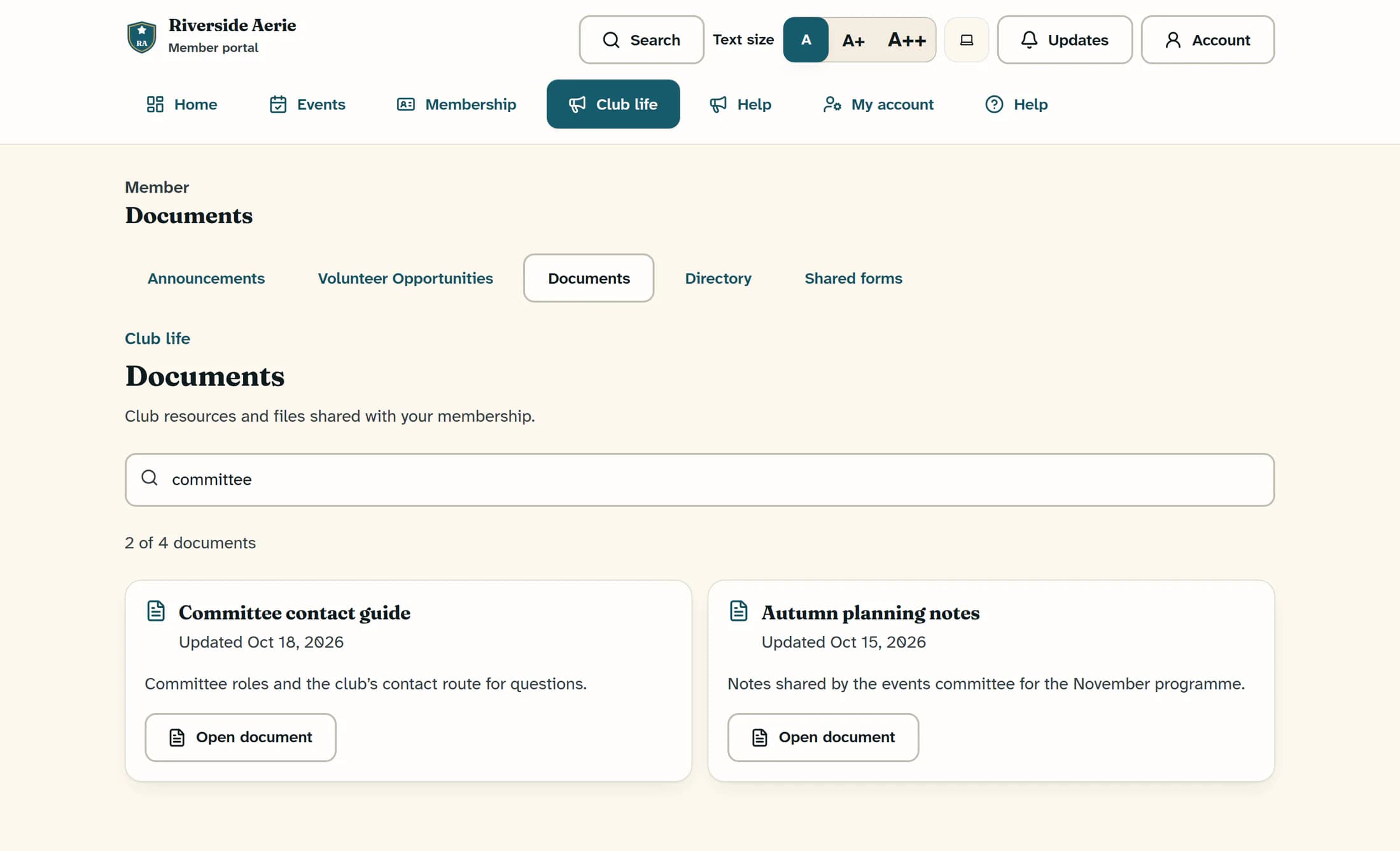
Narrow the list with a search
Type a word from the title or description into Search documents. The list filters as you type; for example, “committee” can find shared committee materials. Delete the search text to show the full list again.
Step 3 of 3
Open the file
Select Open document on the card you want. The file opens in a new browser tab or window; while a file is opening, the page temporarily disables all Open document buttons.
Finding committee information
This web page is a document list, with no separate committee directory. Committee contacts, minutes or guidance appear only if your club has shared those files with your account. Ask your club for materials you cannot find.
If the document is missing
If the file does not open
Keep the portal as your starting point
Use the document list to find the resources shared with you, and reopen stored files from the portal when an old link has expired. Your club can help with missing committee information or access.
