
On this page
The illustrations reconstruct the accepted ClubWorks release 01ea76e8 with fictional data. No live tenant workflow was checked.
Before you begin
Step 1 of 4
Open the member list
Open People in the admin menu, then choose Members. Stay on the Members tab.
Step 2 of 4
Search and narrow the list
Type a name, member number, email address or phone number in Find a member. Choose Category, Dues or Email filters above the list, then use Everyone or a status chip such as Active to control membership status. These choices combine, so each result must match your search and every selected filter.
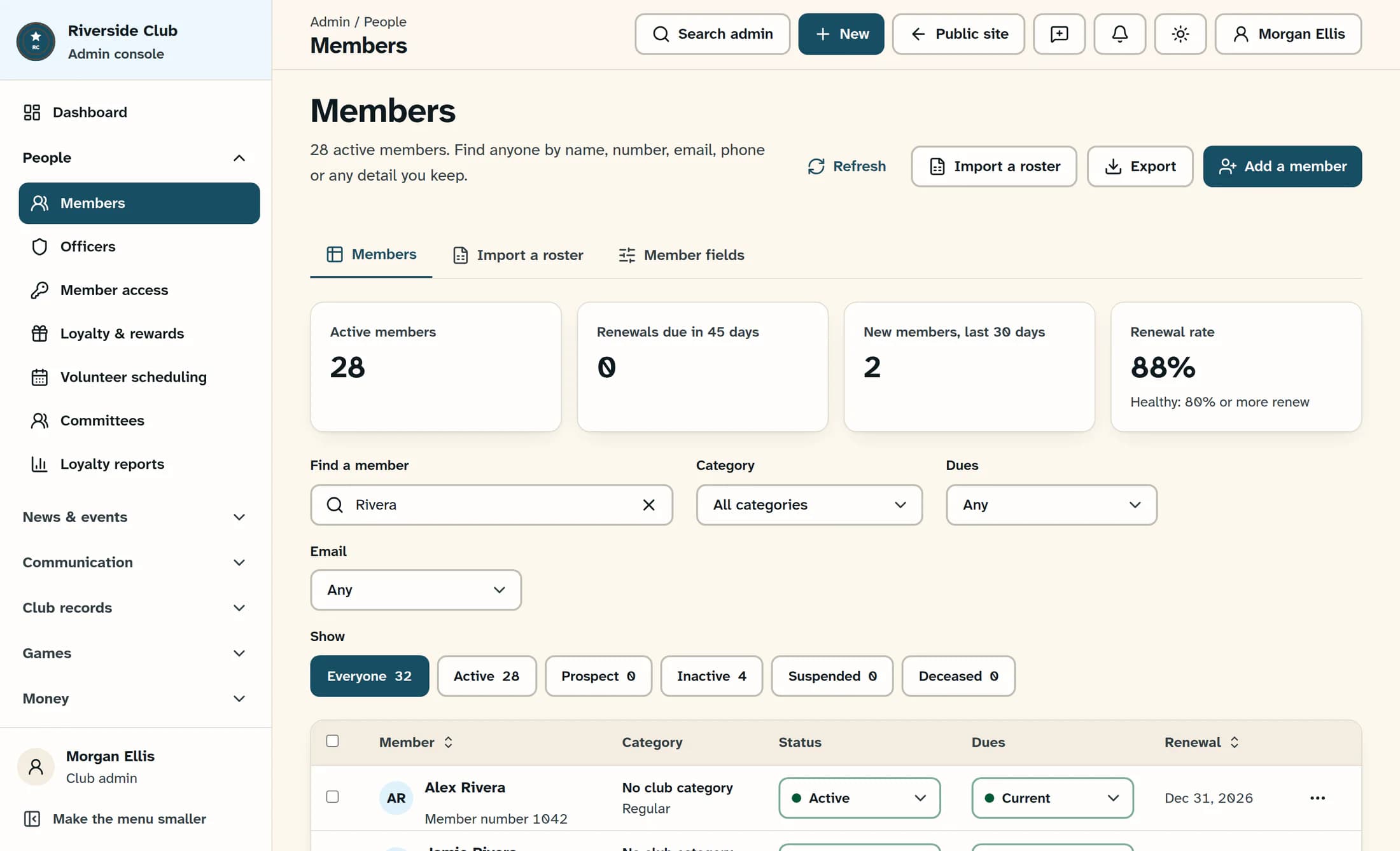
Search also checks membership status and type, club category, dues status, officer title and custom fields marked searchable. It does not search every field, so a short name or member number is a useful starting point.
Choose the filters you need
- Category includes membership types and your club’s active categories; All categories removes that filter.
- Dues includes Current, Due soon, Overdue, Exempt, Not set and the renewal-window option. Any removes the dues filter.
- Email can show Can't be emailed or Looks mistyped. Any removes the email filter.
- Everyone removes only the status filter. Search, category, dues and email choices still apply.
Illustration: source-reconstructed Clubhouse Members screen with fictional members and counts. The controls above the results filter the list.
Step 3 of 4
Sort and browse matching members
Click the Member or Renewal column heading to sort, then click it again to reverse the order. Use Previous and Next below the list to browse up to 25 members per page. Member numbers appear beneath names in the Member column.
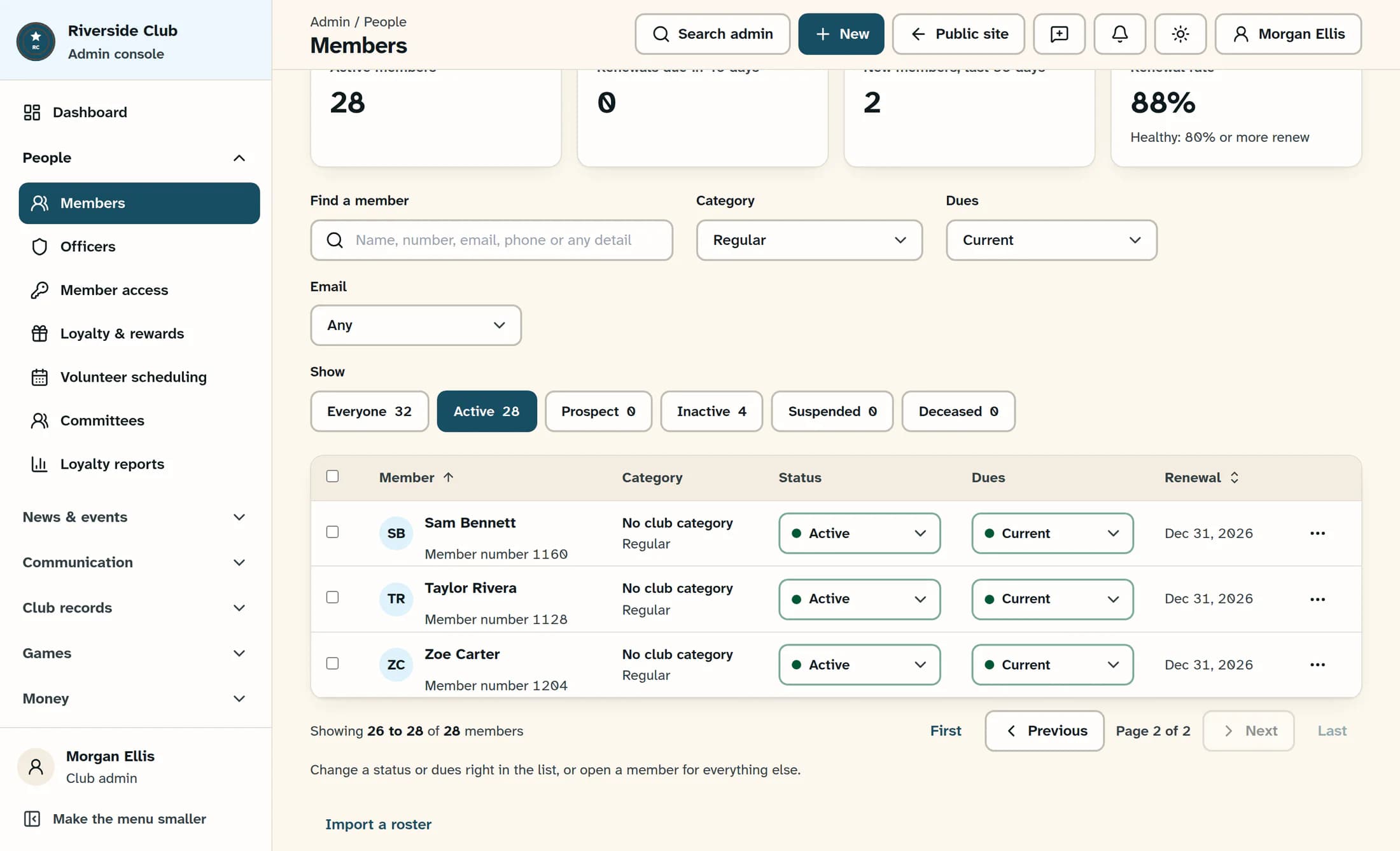
Renewal is hidden in narrower windows. Widen your browser window if you need that column; First and Last are also available when results span more than one page.
Illustration: source-reconstructed results with fictional data, sorted by Member on the final page. Previous and Next sit below the list; the page count describes the matching results.
Step 4 of 4
Recover when a member does not appear
Check the spelling and try a shorter search, then choose Everyone, All categories, and Any for both Dues and Email to broaden the list. If No members match this view appears, click Show everyone to clear search, all filters and the current page. Click Refresh at the top if you need to reload member data; it keeps your filters in place.
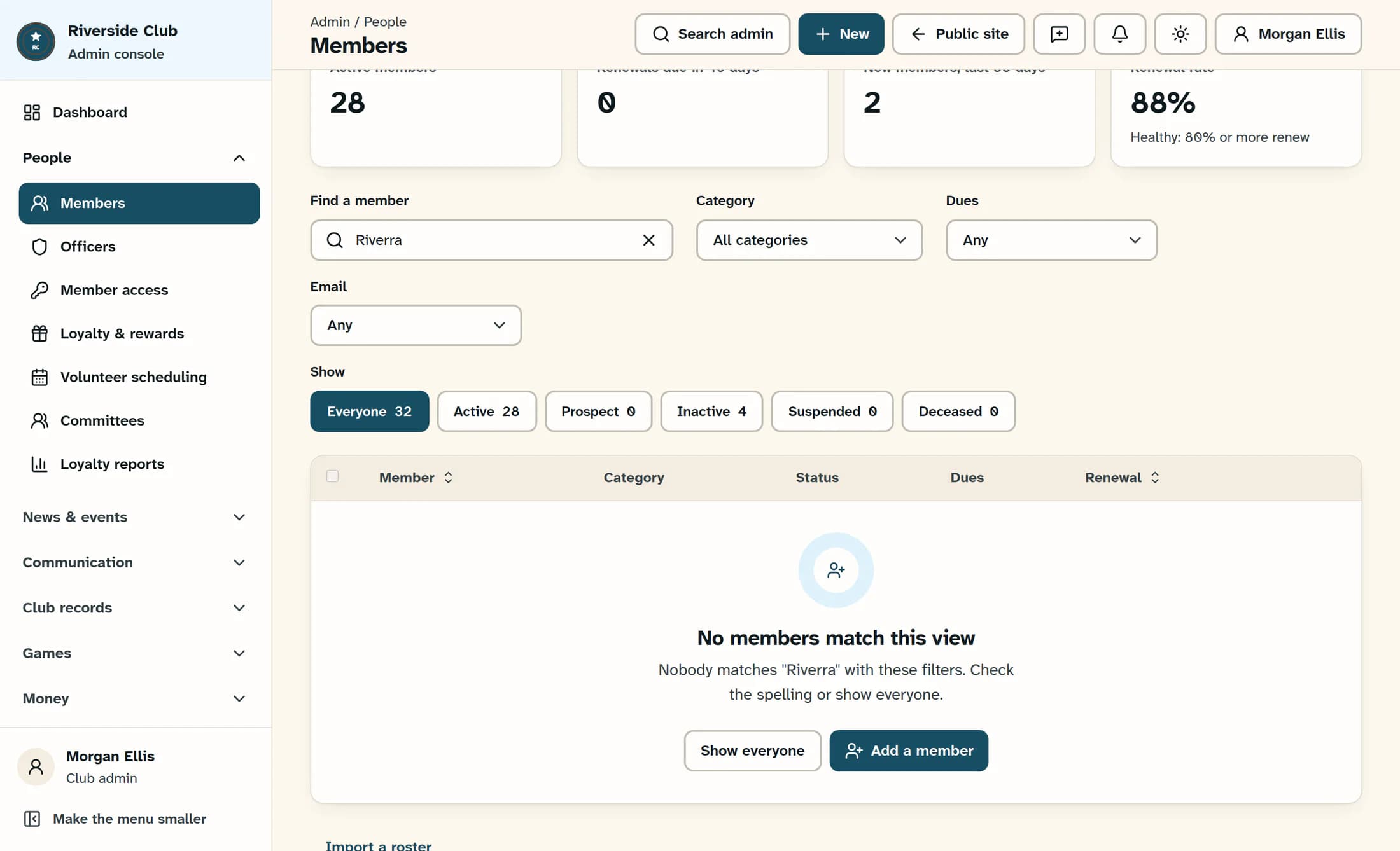
Illustration: source-reconstructed empty search result using fictional data. Show everyone is available to reset the view.
Keep these details in mind
Your matching members
You can now find a member, narrow the roster and browse the results without changing member records.
