
On this page
Before you start
Step 1 of 5
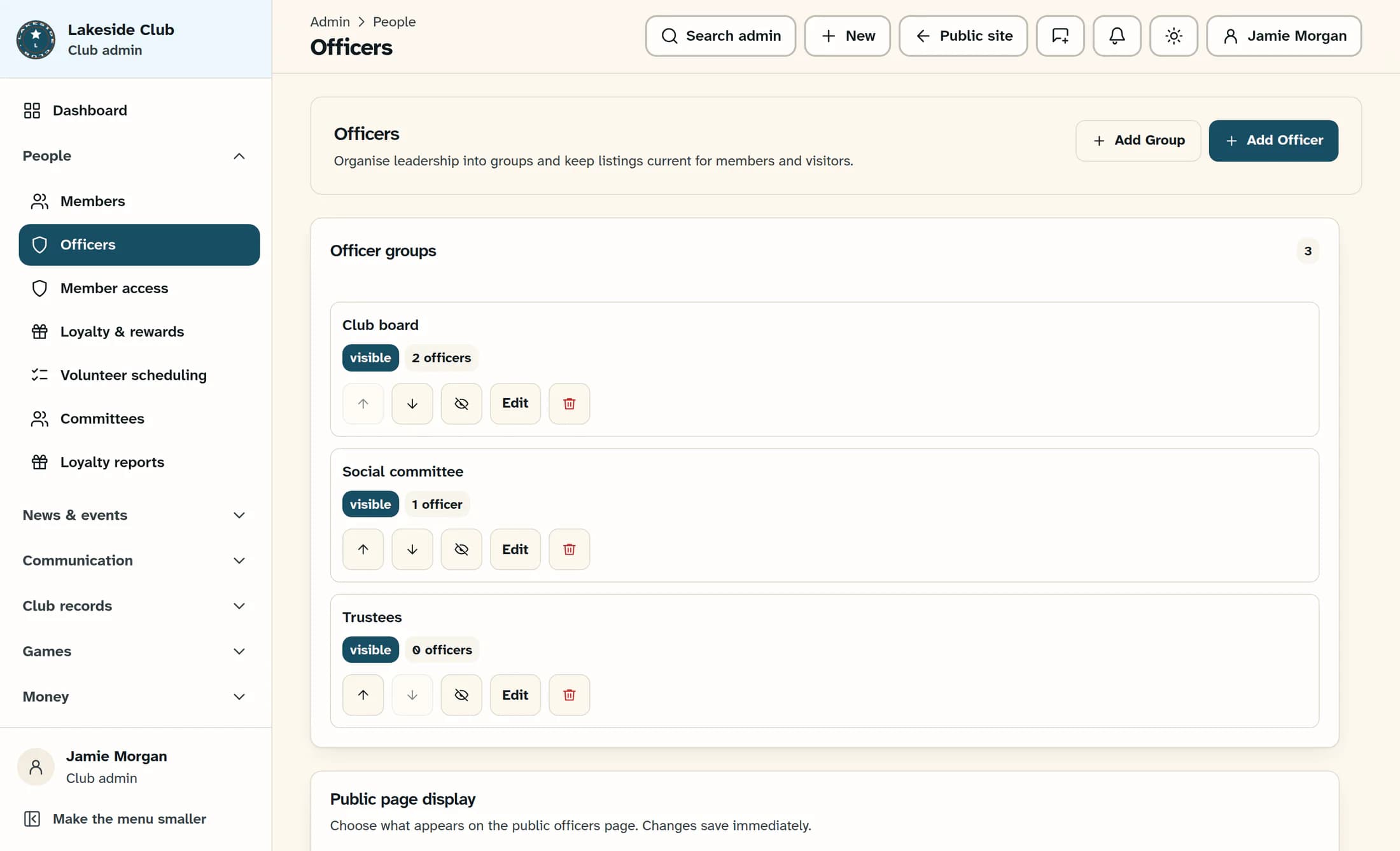
Open the group form
In the admin menu, open People, then Officers. Select Add Group above the page content.
Step 2 of 5
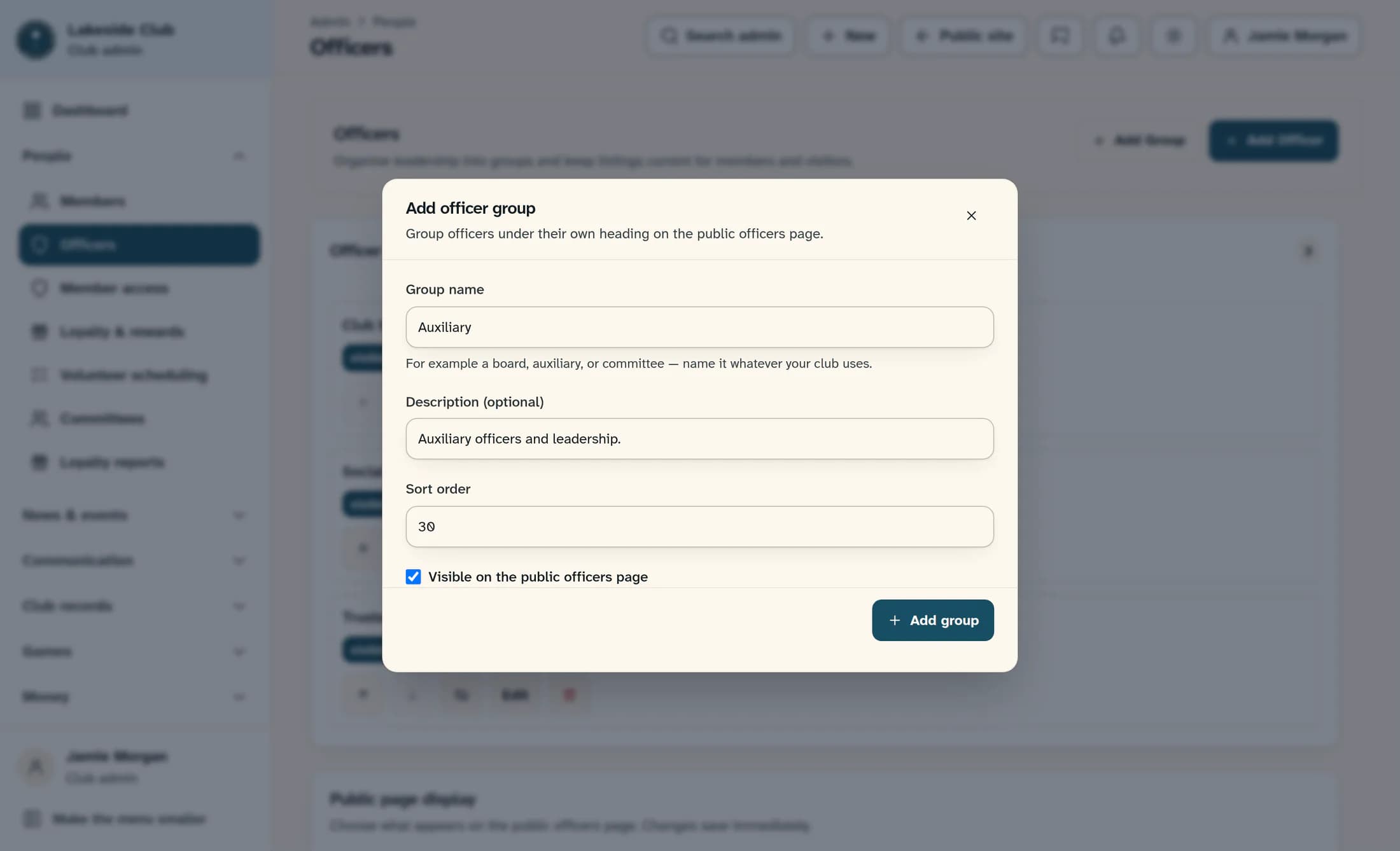
Name the group and choose its position
Enter a Group name, such as Auxiliary, and a short Description (optional) if useful. Enter a whole number in Sort order. Smaller numbers appear first: for example, 10, 20 and 30 leave room for another group between them.
Step 3 of 5
Choose visibility and add the group
Keep Visible on the public officers page checked if the group should be available publicly, or clear it to hide the group and its assigned officers. Select Add group to save.
Step 4 of 5
Open an existing group to change its order
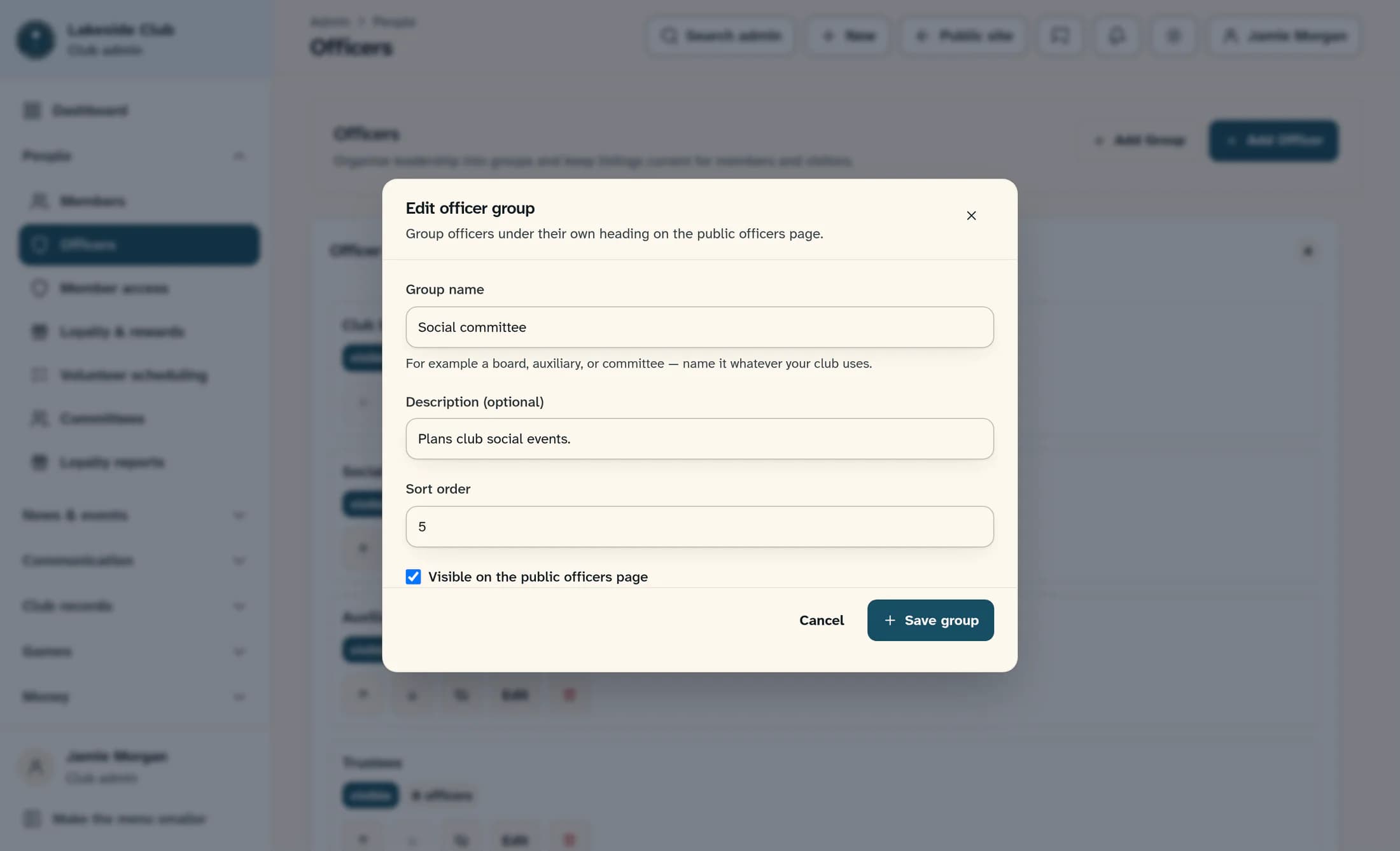
In Officer groups, select Edit on the group you want to move. The example uses the existing Social committee group, whose sort number is 20.
Step 5 of 5
Save the new sort number
In Edit officer group, change Sort order to the number for its new position. For example, 5 puts Social committee before Club board at 10. Select Save group.
Tips
Result
After each successful save, the form closes and “Officer group saved.” appears. The group list refreshes in sort-number order, and a new group shows a count of 0 officers until officers are assigned to it.
Troubleshooting
- A blank group name or a non-whole-number sort order prevents saving.
- A group name already used in your club prevents saving, even if its capitalization is different.
- Empty groups do not appear on the public page yet. A hidden group also hides its assigned officer listings; individual officer visibility still applies.
- If saving fails, the form stays open and the group list may still show the previous order. An administrator can help with access or connection problems.
About this guide
These illustrations are source-based reconstructions of ClubWorks with fictional club, group and officer details. They show the default officer screen inside the Clubhouse admin layout; your club’s branding or a preview layout may look different.
The screens in this guide show example clubs and people. Your club's name, colours and some labels may look different.
