
On this page
Before you begin
Step 1 of 4
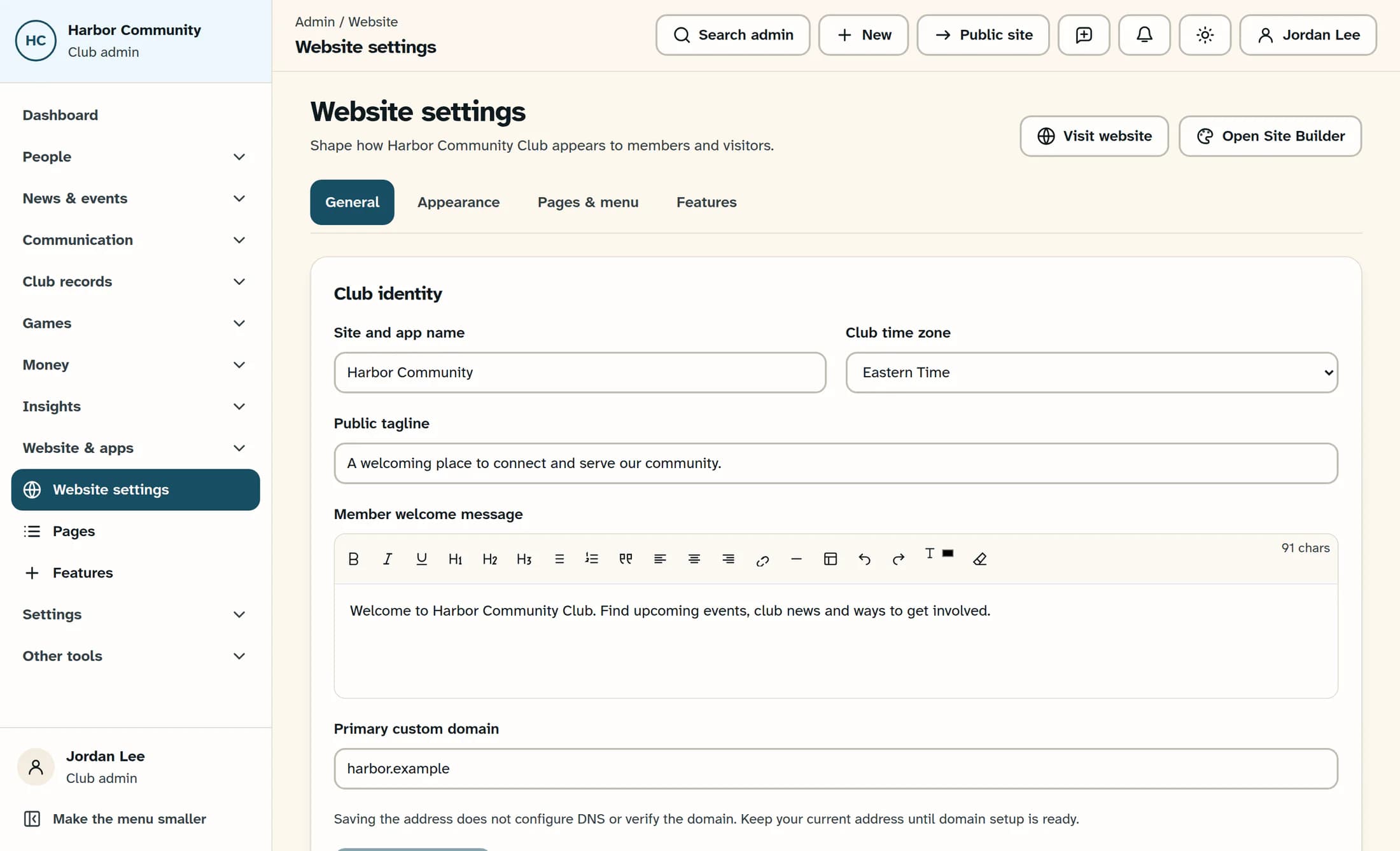
Open the website designer
From Website settings, select Open Site Builder near the top of the page. The classic editor is headed Club Website Designer.
Step 2 of 4
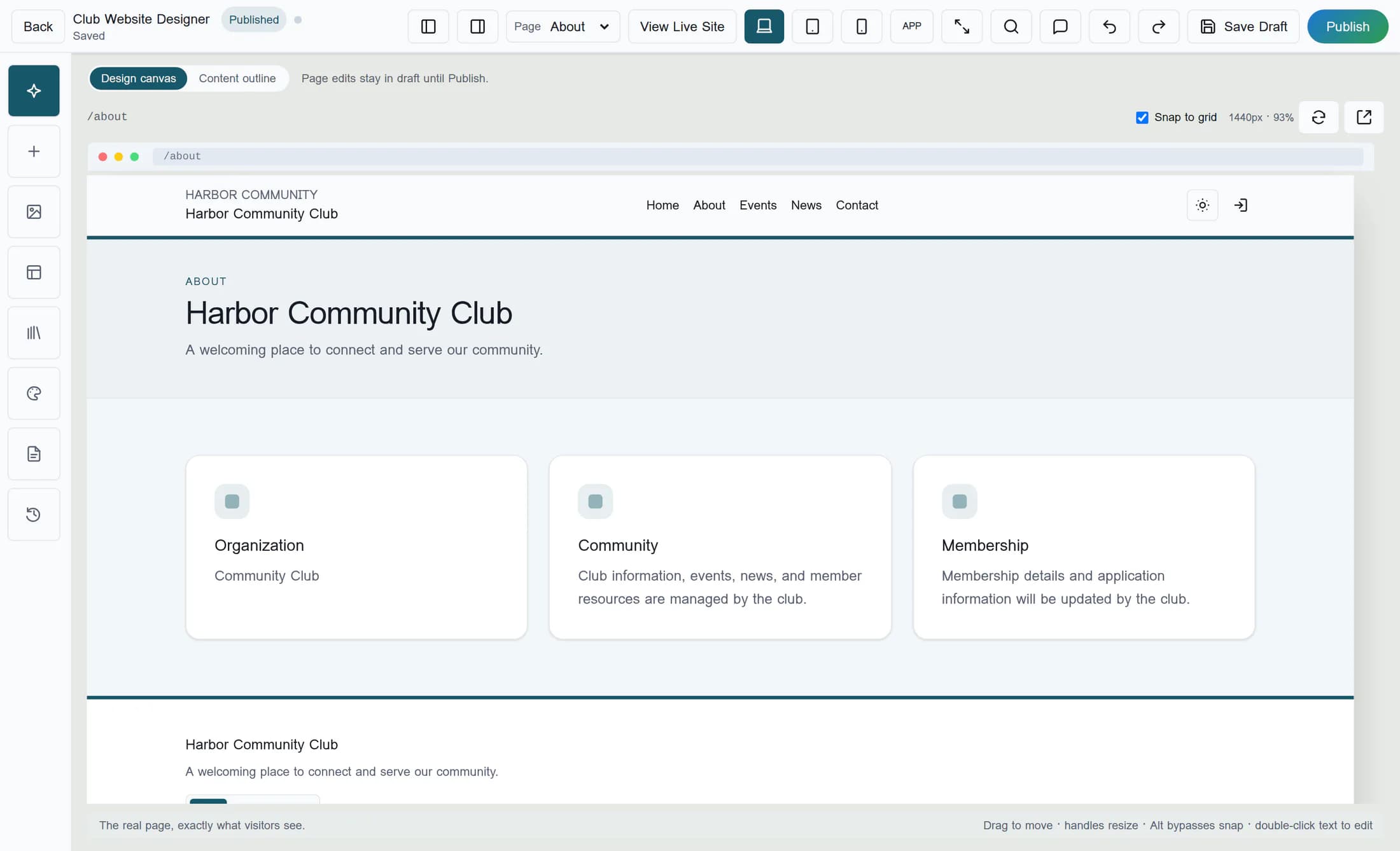
Choose the page to preview
Select the intended page from Page in the top toolbar. Use Design canvas to see the rendered page with its website layout.
Step 3 of 4
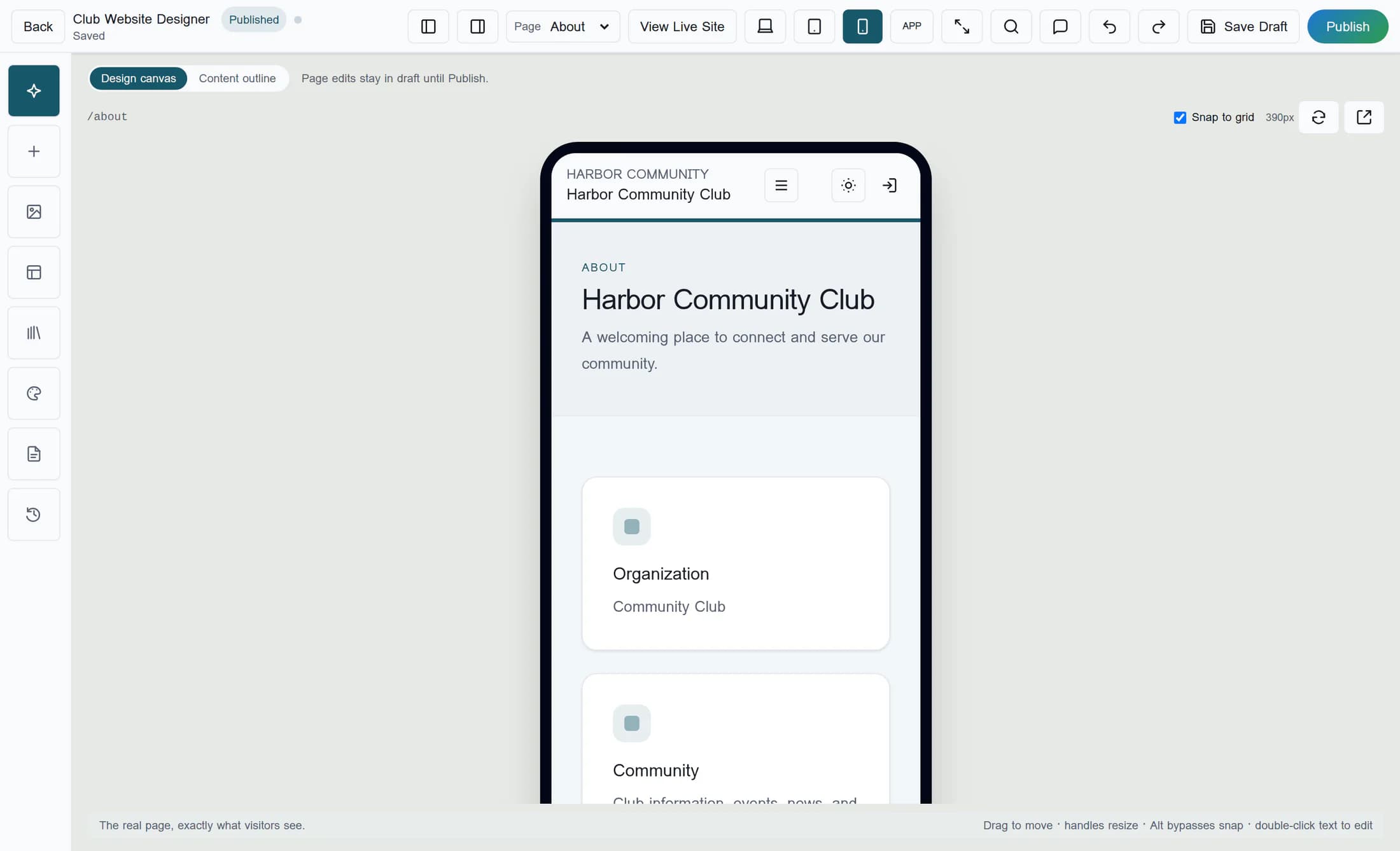
Compare desktop, tablet and phone widths
Select Desktop, then Tablet, then Mobile in the top toolbar. Review the page at each width for crowded text, cropped content and awkward spacing, then select Desktop to return to the wider preview. These buttons change the preview width without publishing changes.
Step 4 of 4
Return to desktop and check the published site
Select View Live Site in the top toolbar to open the published website home page. If the page you previewed is published and linked in your website’s navigation, follow that link to compare it; an unpublished draft has no matching live version.
Know what the preview shows
Next step
You have compared your website layout at three widths and checked the published site. Publishing page edits is a separate action.
