
On this page
Before you start
Step 1 of 5
Open the club’s rental page
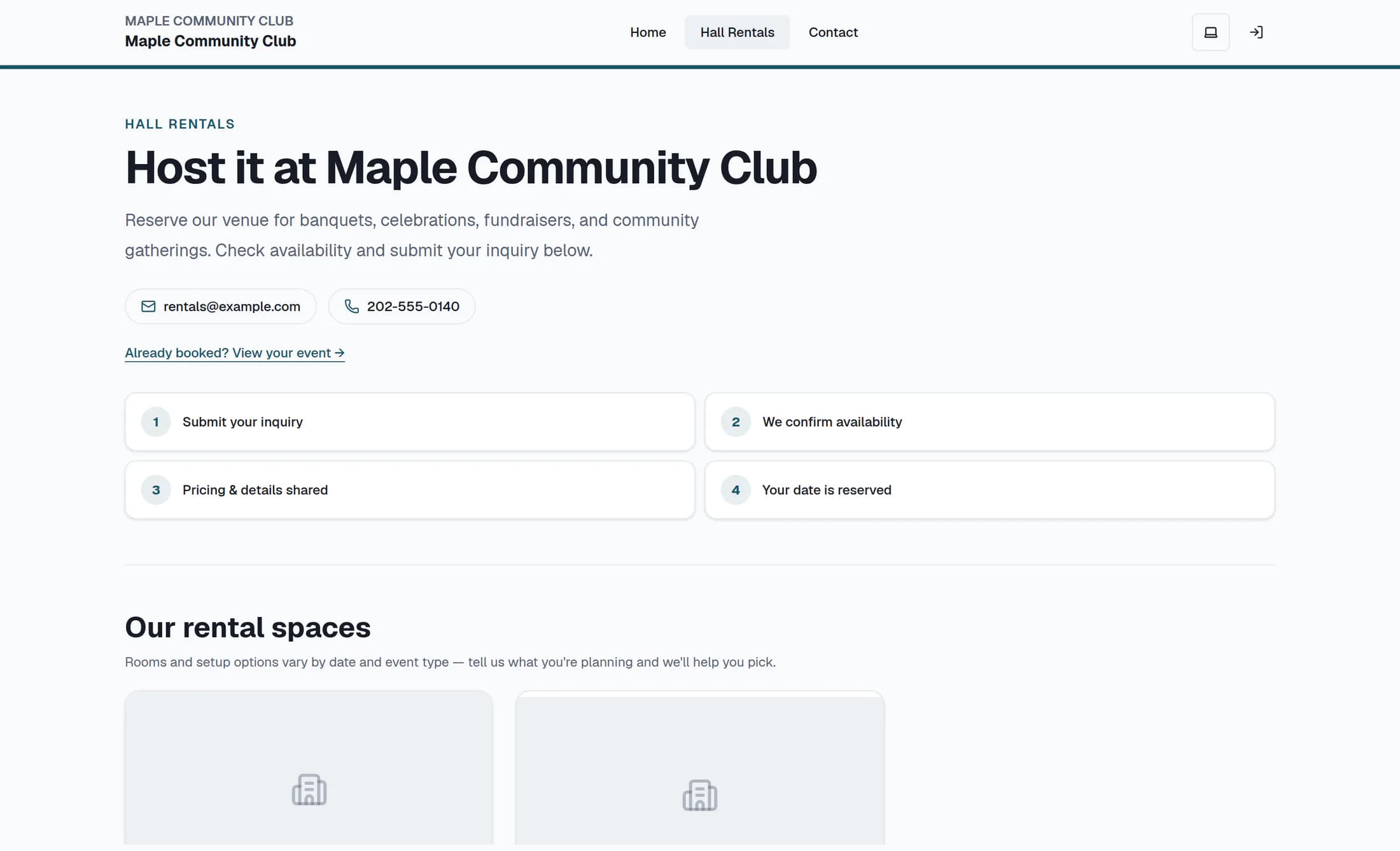
Open Hall Rentals on the club’s website. Review the venue introduction and the club’s contact details.
Step 2 of 5
Review the spaces
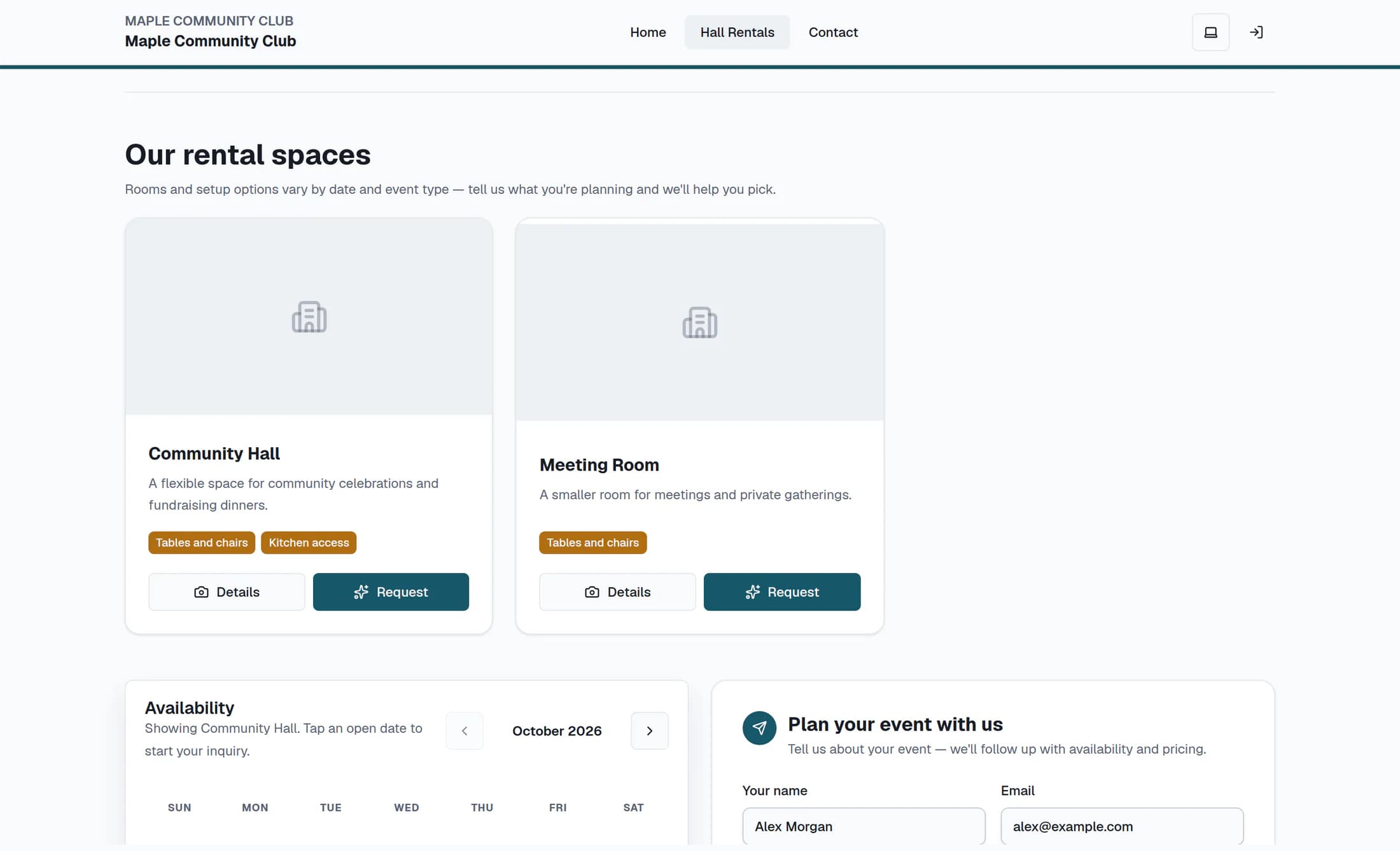
Scroll to Our rental spaces and compare the available room information, such as capacity, amenities and pricing notes. For a closer look, choose Details or a room photo; Request on a room card or Request this space in its details selects that room and moves you to the inquiry form.
Step 3 of 5
Add your contact and event details
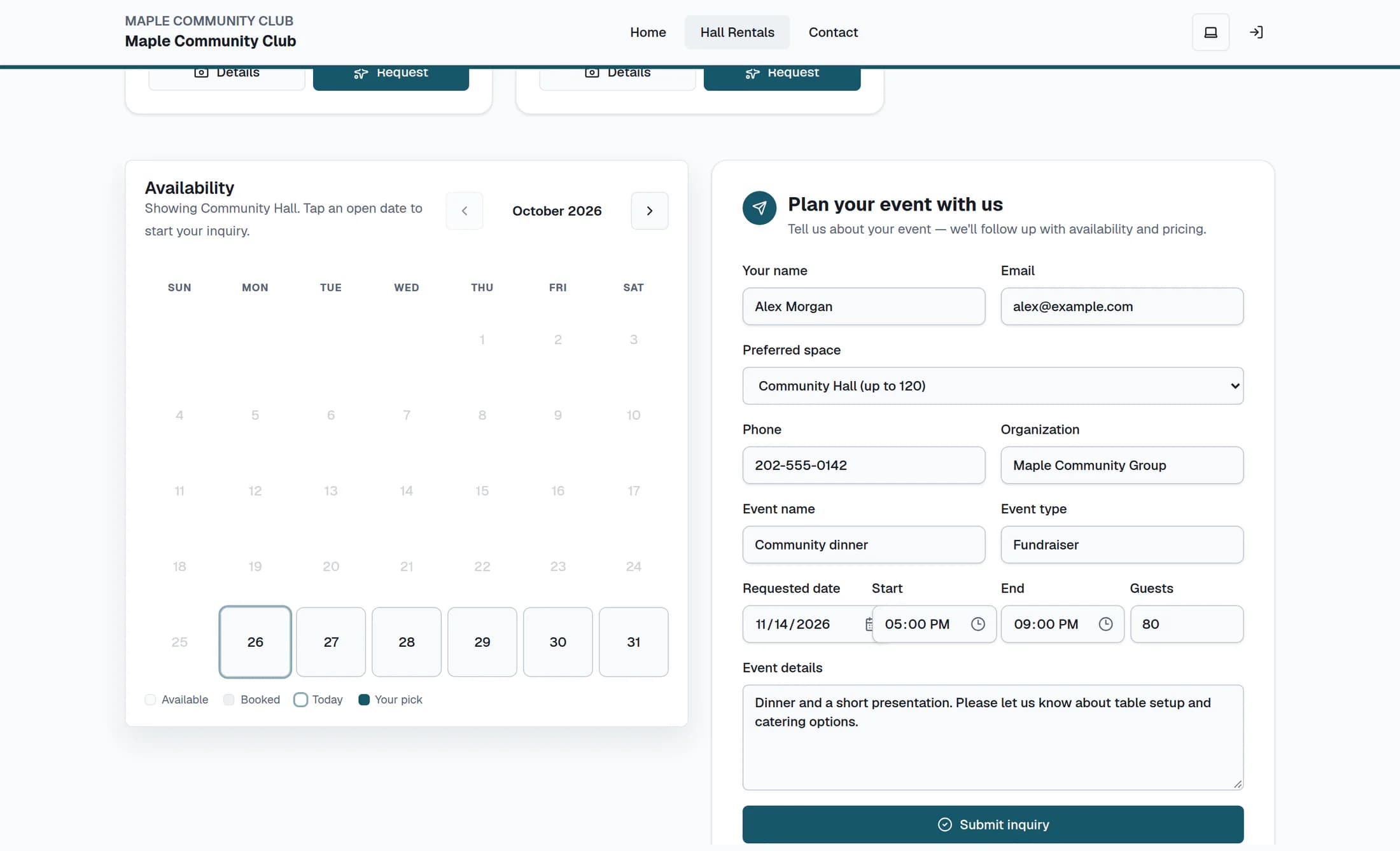
Under Plan your event with us, enter Your name, Email and Event name. You can also choose Preferred space or No preference, and add Phone, Organization and Event type.
Step 4 of 5
Choose the date and add useful details
Enter a Requested date in the form; the classic page accepts dates from today through six months ahead. You can also add Start, End, Guests and Event details, including setup or catering needs.
If you want to check the calendar
In Availability, you can use the month arrows and select an open date to fill Requested date. Booked dates cannot be selected there, and Some spaces booked means another room may be available; any date or capacity warning in the form is advisory, so ask the club to confirm a suitable room and time.
Step 5 of 5
Send the inquiry
Review your entries, then choose Submit inquiry at the bottom of the form once. Wait for the confirmation beginning “Your inquiry is in!”; the form clears after a successful response.
What happens next
The club follows up about availability, pricing and next steps. Your date is not reserved until the club confirms it, and this form does not create a booking or take a payment. Email delivery and reply times are not guaranteed.
If you need help
Summary
You’ve asked the club about your event. Wait for the club’s availability and pricing confirmation before treating the date as reserved.
