
On this page
- The club’s plan and its members’ payments
- What the plan summary tells you
- Missing billing detail does not settle an obligation
- Enabled tools still have prerequisites
- Your access is an additional check
- Different layouts are not paid tiers
- What needs confirmation from ClubWorks
- About this illustrated draft
- In short
The club’s plan and its members’ payments
Your ClubWorks plan describes how your club pays ClubWorks. Membership dues, donations and event payments go to your club; a member’s TabWorks house-account balance is another separate financial relationship. A subscription invoice, a dues balance and a loyalty-point balance do not stand in for one another.
What the plan summary tells you
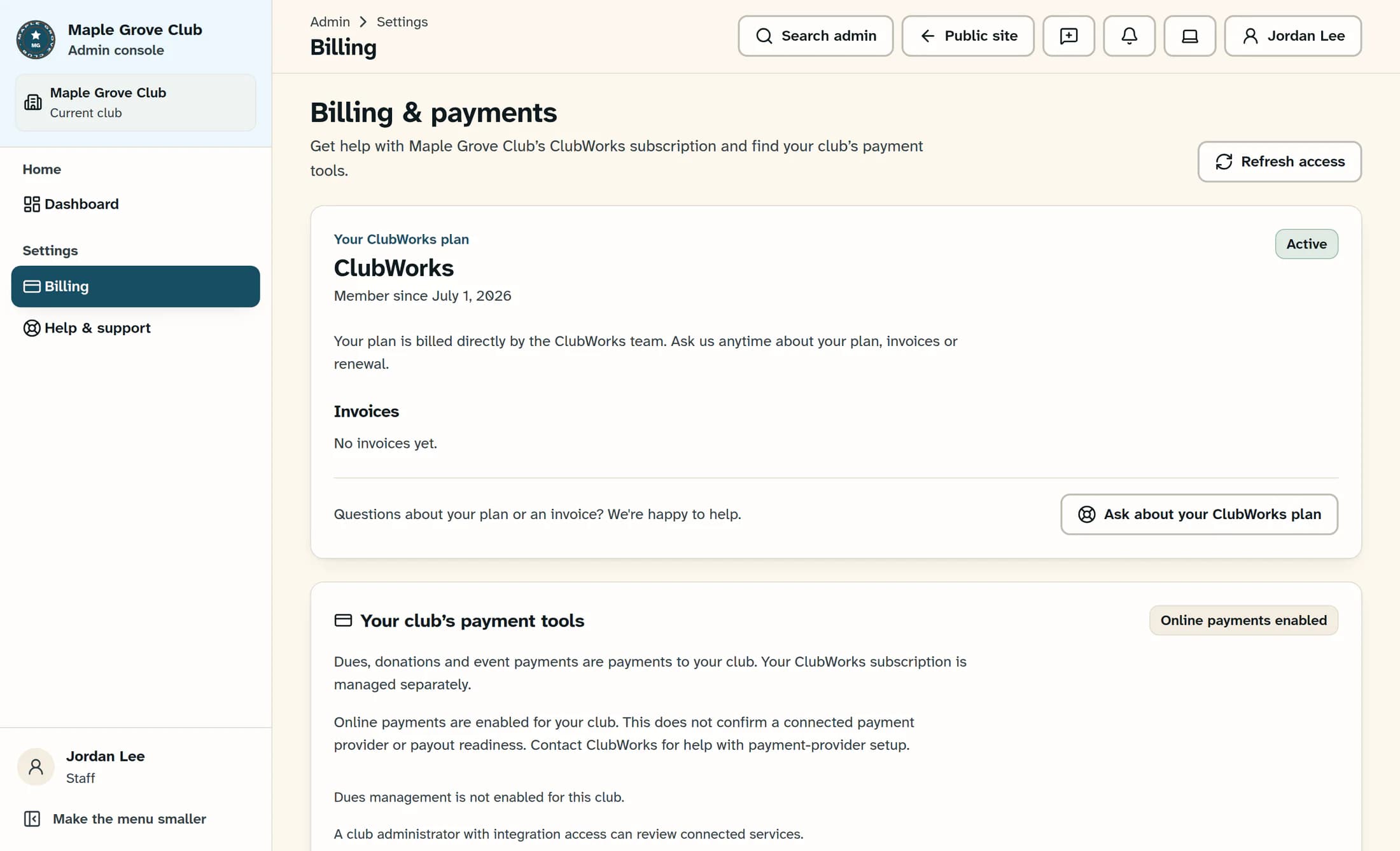
Where the newer Billing view is available, Your ClubWorks plan can show the plan name, Active or Payment past due, Next payment, a payment method, the payment schedule and Invoices. These details describe the club’s billing arrangement; they are not a list of included modules. The reconstructed illustration shows the direct-billed display with a fictional club name and billing state; it is not a real club’s account.
Missing billing detail does not settle an obligation
Some clubs see a message that billing is managed directly by the ClubWorks team instead of connected payment details. That same display can appear when connected billing information is unavailable, and a stored summary may remain when a live payment-service lookup fails. An absent invoice, a Nothing scheduled message or a missing Billing menu entry does not establish that nothing is owed or that the club has no subscription.
Enabled tools still have prerequisites
Feature switches control the tools available to a club, but a tool can also depend on another feature, a linked product, provider setup or the club’s organization type. A saved enabled state does not confirm a working connection, payout readiness or a successful external transaction. Text messaging also follows provider setup and member consent, while event registration follows each event’s settings; the absence of a separate switch does not establish whether a service was purchased.
Your access is an additional check
The club enabling a tool does not give every staff member permission to view or change it. Billing navigation depends on online payments being enabled and permission to view payments; managing the subscription’s payment method requires additional authorization, even when Update payment method is visible. A role change grants access within the club’s rules—it does not purchase a module or complete provider setup.
Different layouts are not paid tiers
The illustrated Billing view is a newer preview and is not available to every club or session. The classic Billing section offers less detail and directs plan questions to Help & Support. A classic view, a preview or a newer design describes presentation and rollout, not a paid subscription tier; feature status labels are not a substitute for the club’s commercial agreement.
What needs confirmation from ClubWorks
Your club’s agreed plan terms and the ClubWorks team are the basis for questions about included services, pricing, invoices or renewal. This guide does not describe a self-service module purchase, upgrade or cancellation process. A billing status such as Payment past due does not, by itself, establish an automatic downgrade or lockout policy.
About this illustrated draft
The illustration is reconstructed from ClubWorks source with fictional data. This draft has not been verified against a live club’s billing account, payment provider or enabled services, and it makes no change to billing or feature availability.
In short
Plan terms describe the club’s billing agreement. Enabled features, provider readiness, staff access and the current layout are separate checks, so no single badge or missing menu proves all of them.
