
On this page
- Before the review
- Agree what is launching
- Launch record
- Read the saved-settings baseline
- What the four checks mean
- Verify the club identity and address
- Identity and address checks
- Confirm features, rights and connected services
- Availability and responsibility checks
- Prepare members and staff
- Member and staff checks
- Review audience, content and device layouts
- Audience and content checks
- Confirm the publication and communication plan
- Publication and communication checks
- Record the go/no-go decision
- Decision record
- Keep support and recovery ready
- After-launch checks
- Keep the review current
Before the review
Step 1 of 9
Agree what is launching
Write a short launch record before judging readiness. Use the same record for the review and the final decision so deferred work stays visible.
Launch record
Step 2 of 9
Read the saved-settings baseline
In the club admin area, Settings > Club settings leads to the newer Club profile page and its Setup checklist. The four checks below reflect saved settings only; they do not establish DNS, HTTPS certificate, integration, privacy, member access, staff access or publication readiness.
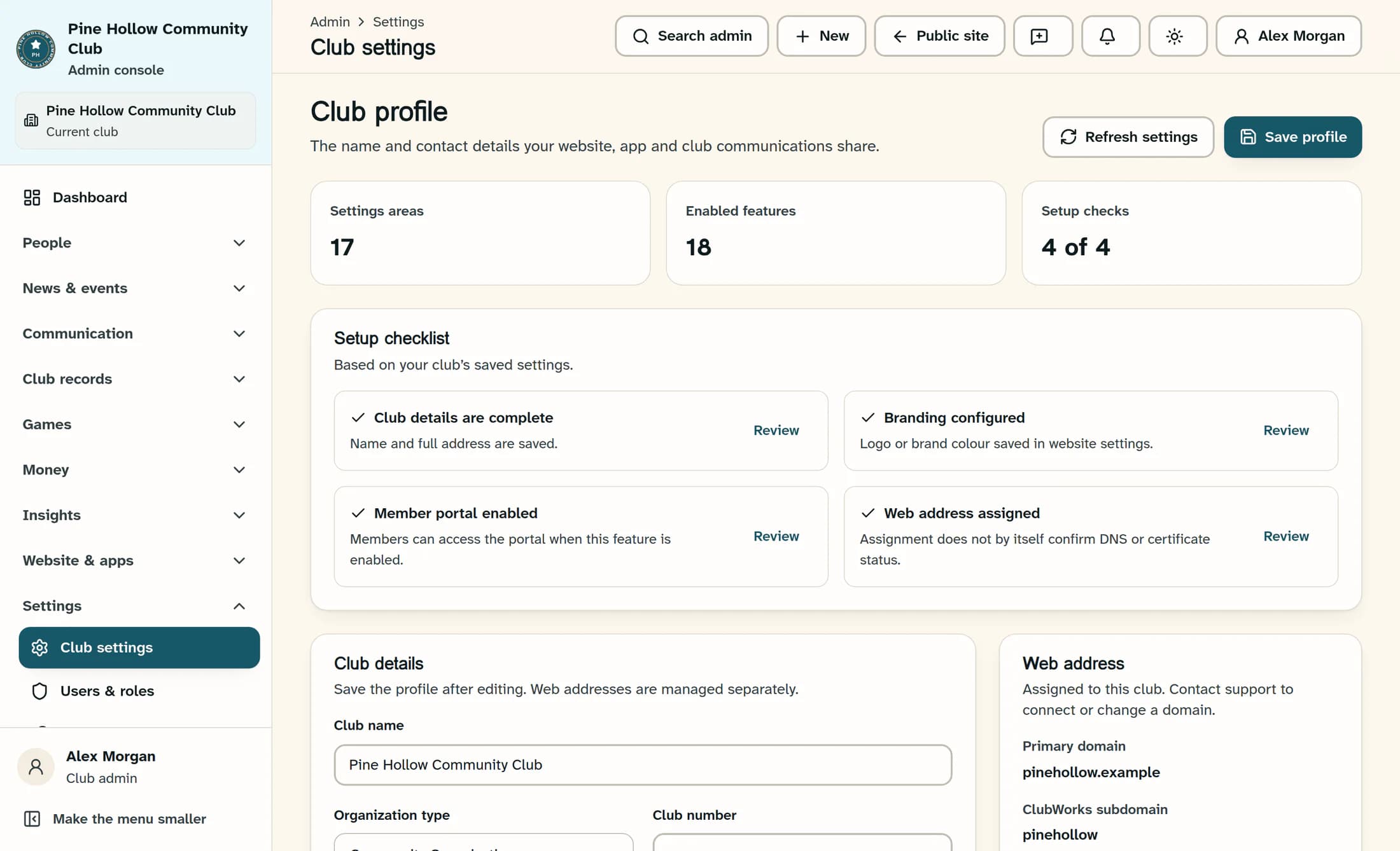
What the four checks mean
Illustration: a fictional club with four completed saved-settings checks in the newer Club profile screen. It is a source-based reconstruction, not launch approval; current menus can include additional tools, and the classic settings screen uses a different, shorter club-details check.
Step 3 of 9
Verify the club identity and address
Have the profile owner compare saved information with the club’s approved records. Have the website or domain owner verify the actual public address separately.
Identity and address checks
Step 4 of 9
Confirm features, rights and connected services
Review subscription and module availability and integration connection status with the responsible owners. A feature being enabled, or a provider appearing connected, is not evidence that every related workflow works.
Availability and responsibility checks
Step 5 of 9
Prepare members and staff
Have the membership lead review roster preparation, invalid or duplicate rows, and no-email recovery. Arrange sign-in checks with an authorized representative member and staff member using their own accounts and the correct club.
Member and staff checks
Step 6 of 9
Review audience, content and device layouts
Use public and member-only content, content fact checks and layout previews for the detailed review. A preview or a missing menu item does not prove access is restricted.
Audience and content checks
Step 7 of 9
Confirm the publication and communication plan
Complete the saved draft review, then have an authorized publisher follow Save drafts and publish website changes at the agreed time. Saving a draft is not publication, and publication does not notify every member.
Publication and communication checks
Step 8 of 9
Record the go/no-go decision
Bring the owners together and record an explicit go or no-go decision for the agreed scope. A failed or unverified critical check is a no-go until it is resolved and rechecked.
Decision record
Step 9 of 9
Keep support and recovery ready
Agree who will watch for problems and when the team will review the launch. Keep an approved content copy and a documented correction or rollback plan that the authorized website owner can follow.
After-launch checks
Keep the review current
Your launch decision should say what is ready, who checked it and what remains unresolved. Keep the record with your support plan and revisit it after launch or any material change.
