
On this page
Before you start
Step 1 of 6
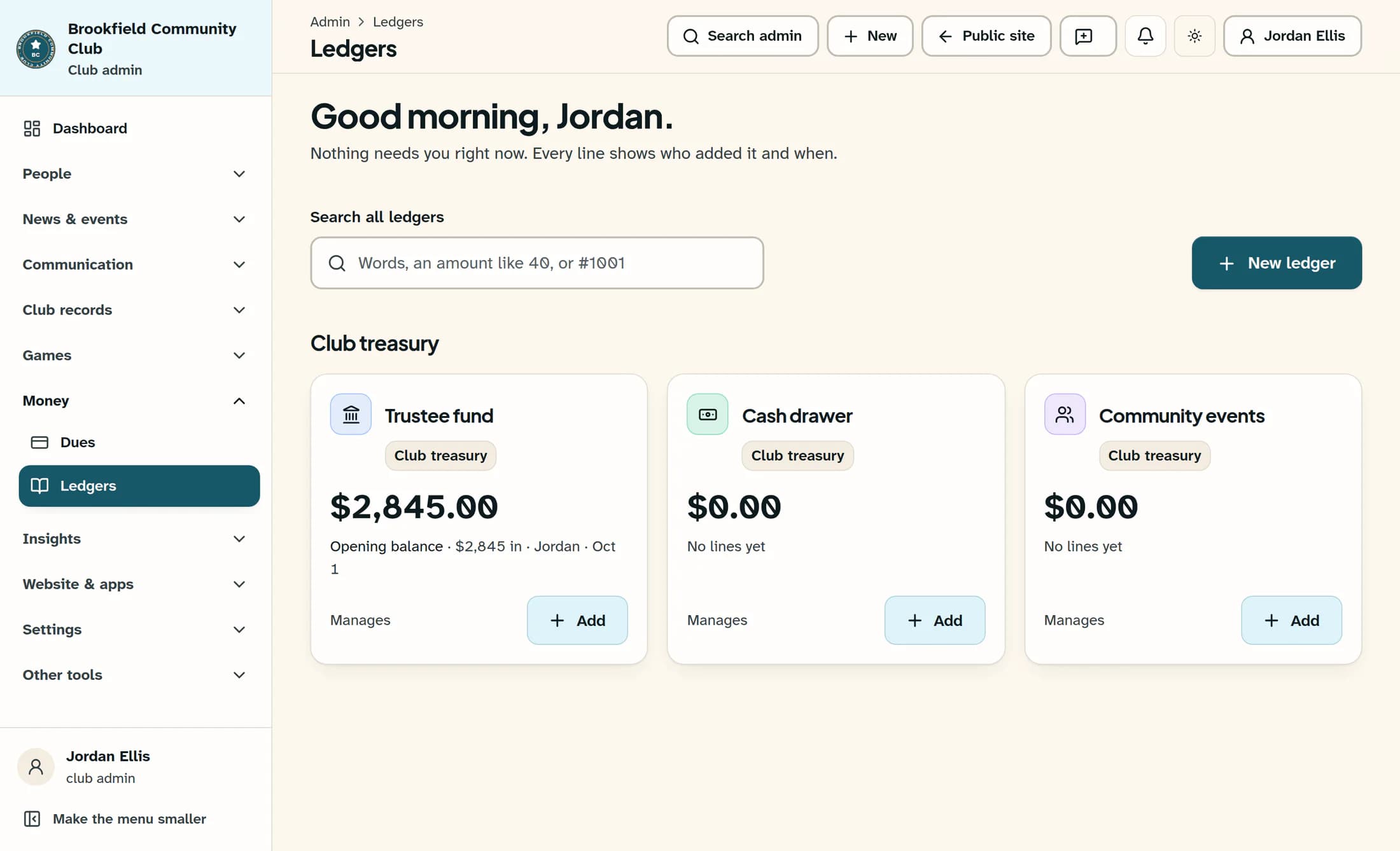
Open the ledger
Under Money in the admin sidebar, choose Ledgers. Open the ledger you want to change; the fictional example here uses Trustee fund.
Step 2 of 6
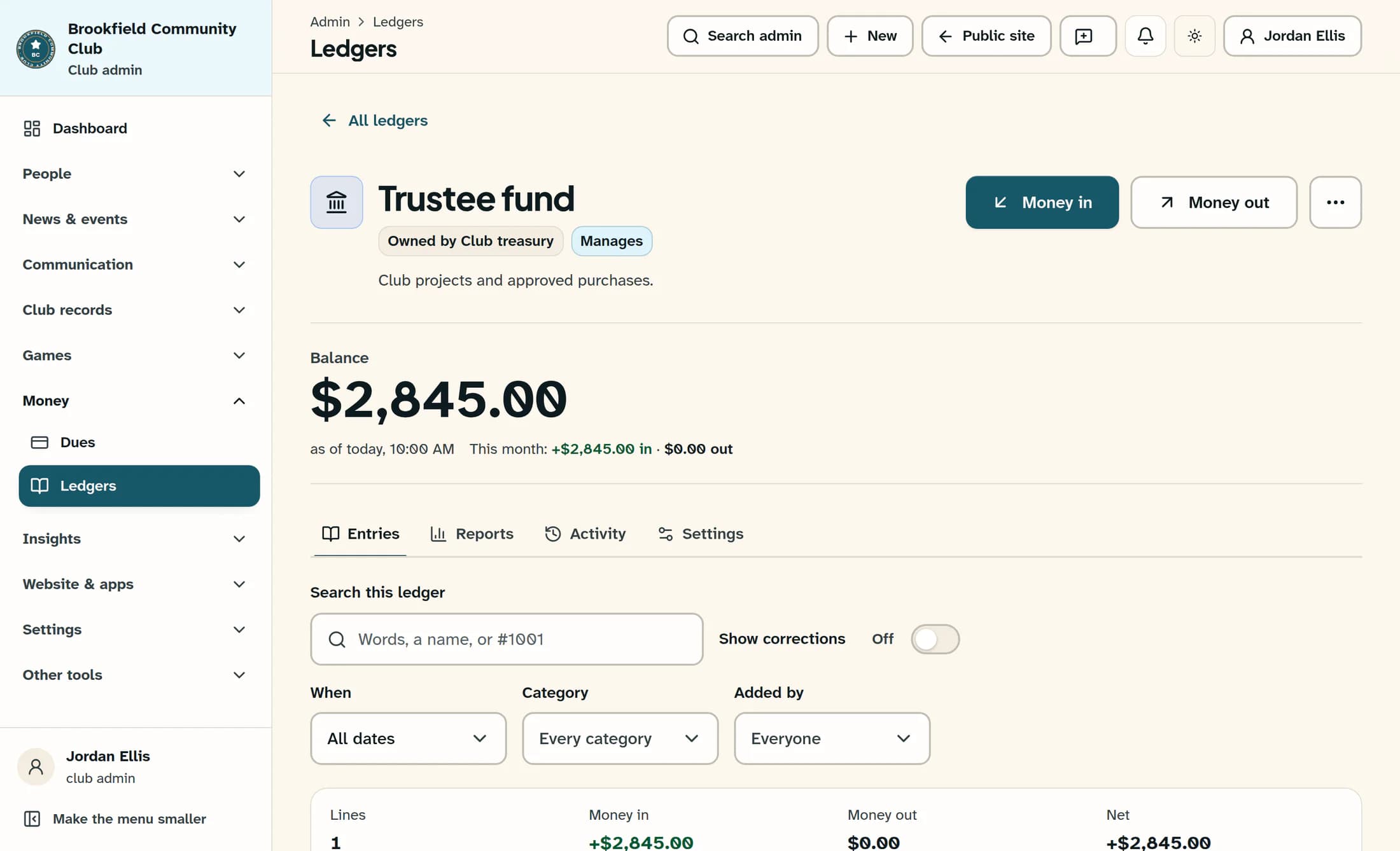
Open ledger settings
Choose Settings in the ledger tabs.
Step 3 of 6
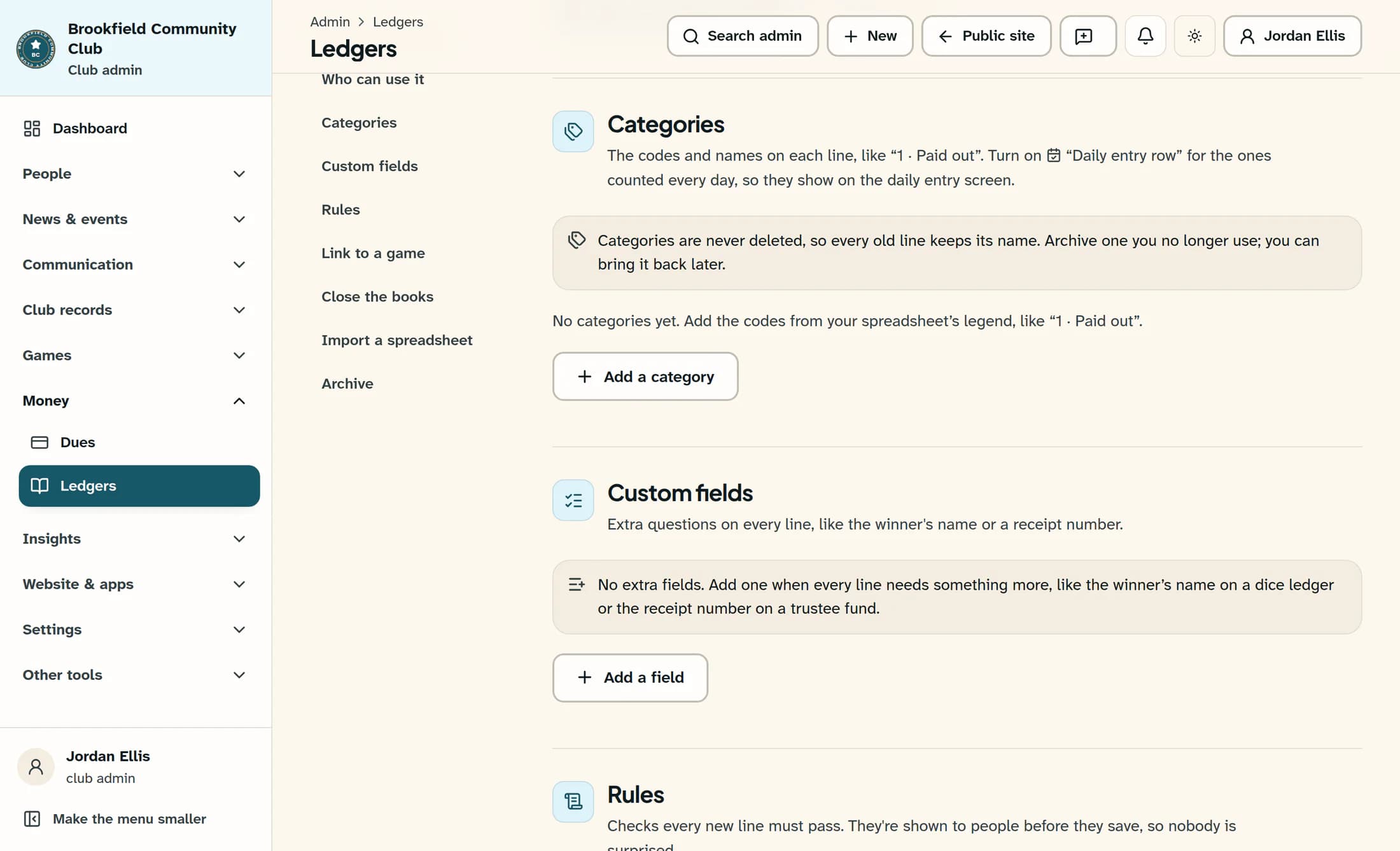
Open Custom fields
In the settings sections, choose Custom fields. Select Add a field to open the form.
Step 4 of 6
Set up the field
Enter Name of the field using up to 60 characters. In What kind of answer, choose the type you need:
- Words — a short answer, such as a name or place.
- A number — a count, such as tickets sold.
- An amount of money — dollars and cents.
- A date — a date picked from a calendar.
- Yes or no — a Yes or No choice when entering a line.
- A choice from a list — your own choices. Enter 1–50 nonblank choices in The choices, one per line, with up to 80 characters per choice.
- A person in the club — someone picked from the club's people. Only ledger managers can use this person picker.
Under Which lines ask for it, choose Every line, Money in only, or Money out only. Turn on Must be filled in if manual lines need an answer before they can be saved. Lines from the game or a spreadsheet are never held up by required fields.
Optionally enter A hint under the field, up to 200 characters, to help people answer. Select Add field to save.
Step 5 of 6
Change an existing field
In Custom fields, select Edit beside the field. Change its name, applicability, requirement, hint, or list choices as needed, then select Save field. Once any lines have answers for a field, its answer type cannot change. Add a new field if you need a different kind of answer.
Step 6 of 6
Archive or bring back a field
To stop asking a question on new lines, select Archive beside the field, then confirm with Archive field. Answers already given stay on their lines.
To use it again, expand Archived fields and select Bring it back beside the field. You can add fields until the ledger has 20 active fields. Archive one to make room for another new field.
Summary
Your ledger now asks for the extra details on the lines you chose. You can change the field later or archive it while keeping old answers.
