
On this page
Before you begin
Step 1 of 4
Choose the roster to export
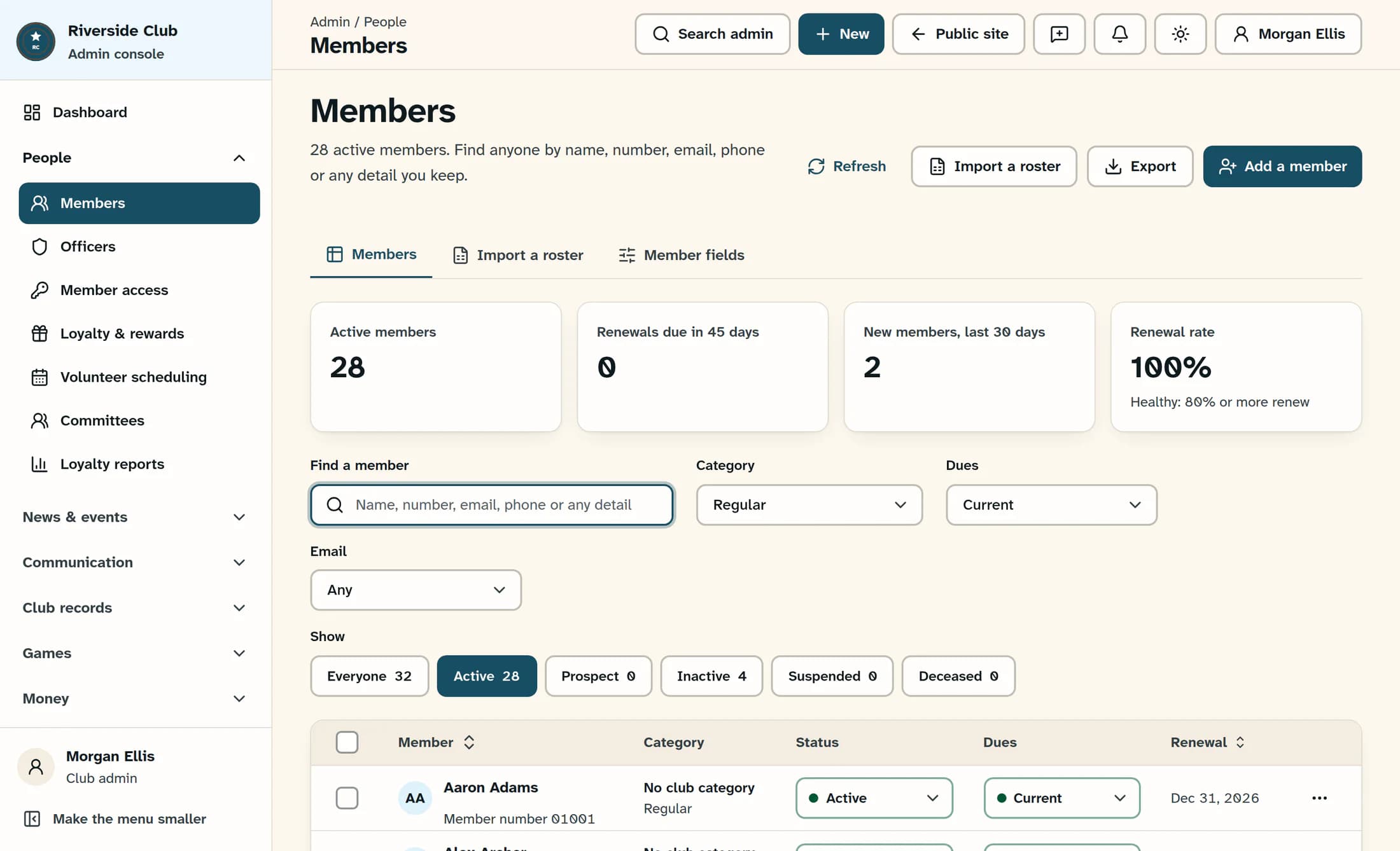
Under People, open Members. Use Find a member, Category, Dues, Email and the status chips under Show to narrow the list. To export the whole roster, leave the search blank, use All categories and Any for Dues and Email, and choose Everyone.
These filters set the scope of Everyone in this list. That export includes every matching record across all pages, not just the 25 rows on the current page.
Step 2 of 4
Tick individual members, if needed
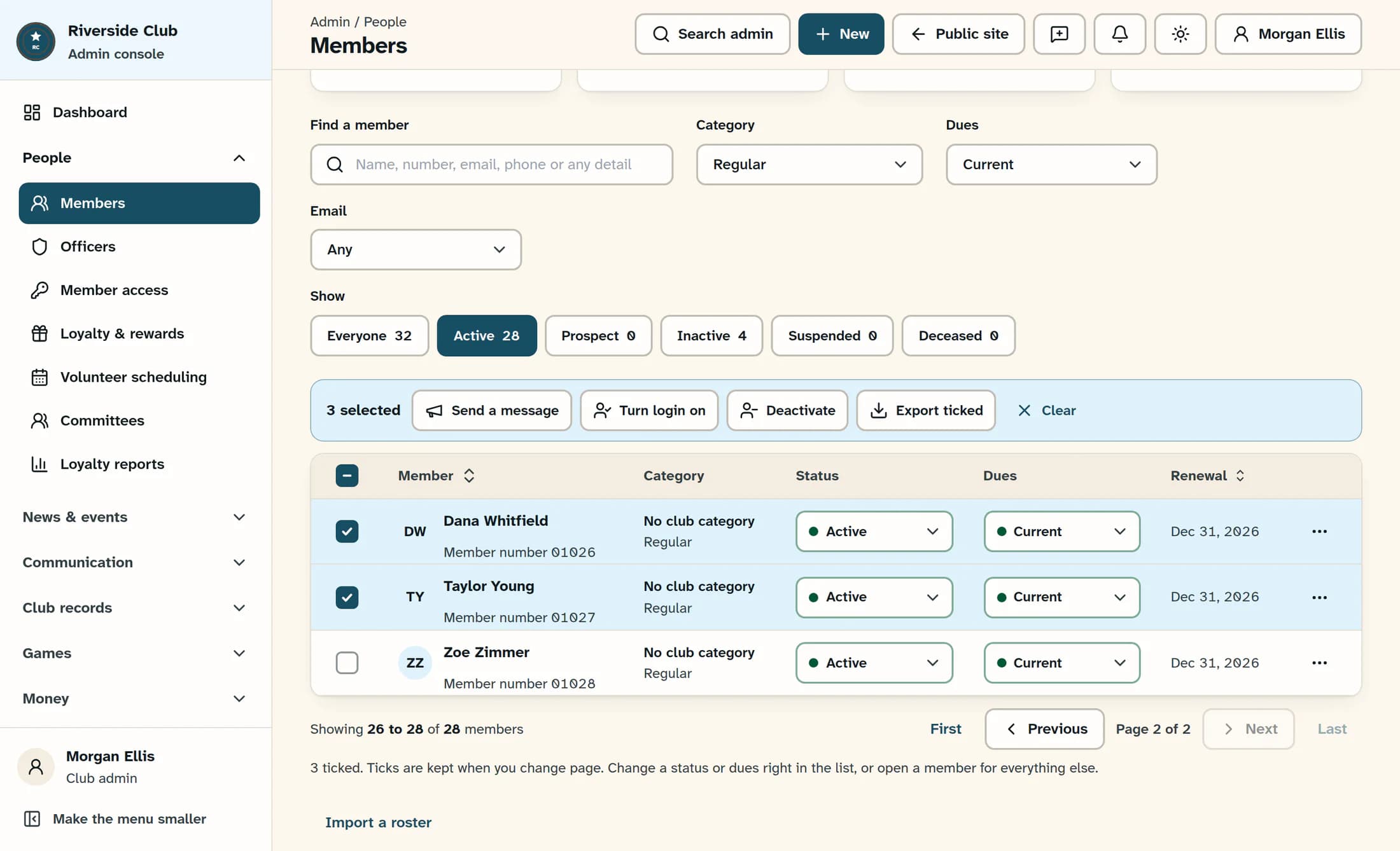
For a hand-picked group, start with Clear in the selection bar if any old ticks remain, then tick the checkbox beside each member you want. The checkbox in the table heading selects only the current page—up to 25 members.
Ticks stay selected when you change pages or filters. A ticked member can therefore be included even when you can no longer see them in the current list. Check the selected count before exporting. Skip this step if you want everyone in the filtered list.
Step 3 of 4
Choose the export scope
Open Export at the top right of Members, then choose one option:
- Everyone in this list (N) downloads all matching members across pages.
- Only the ticked members (N) downloads the selected members, including any outside the current page or filters.
The number in brackets is the record count for that option. An option with zero members is unavailable. Export ticked in the selection bar downloads the same selected group as Only the ticked members.
Your browser downloads a CSV named
members-YYYY-MM-DD.csv. The date in the filename uses UTC.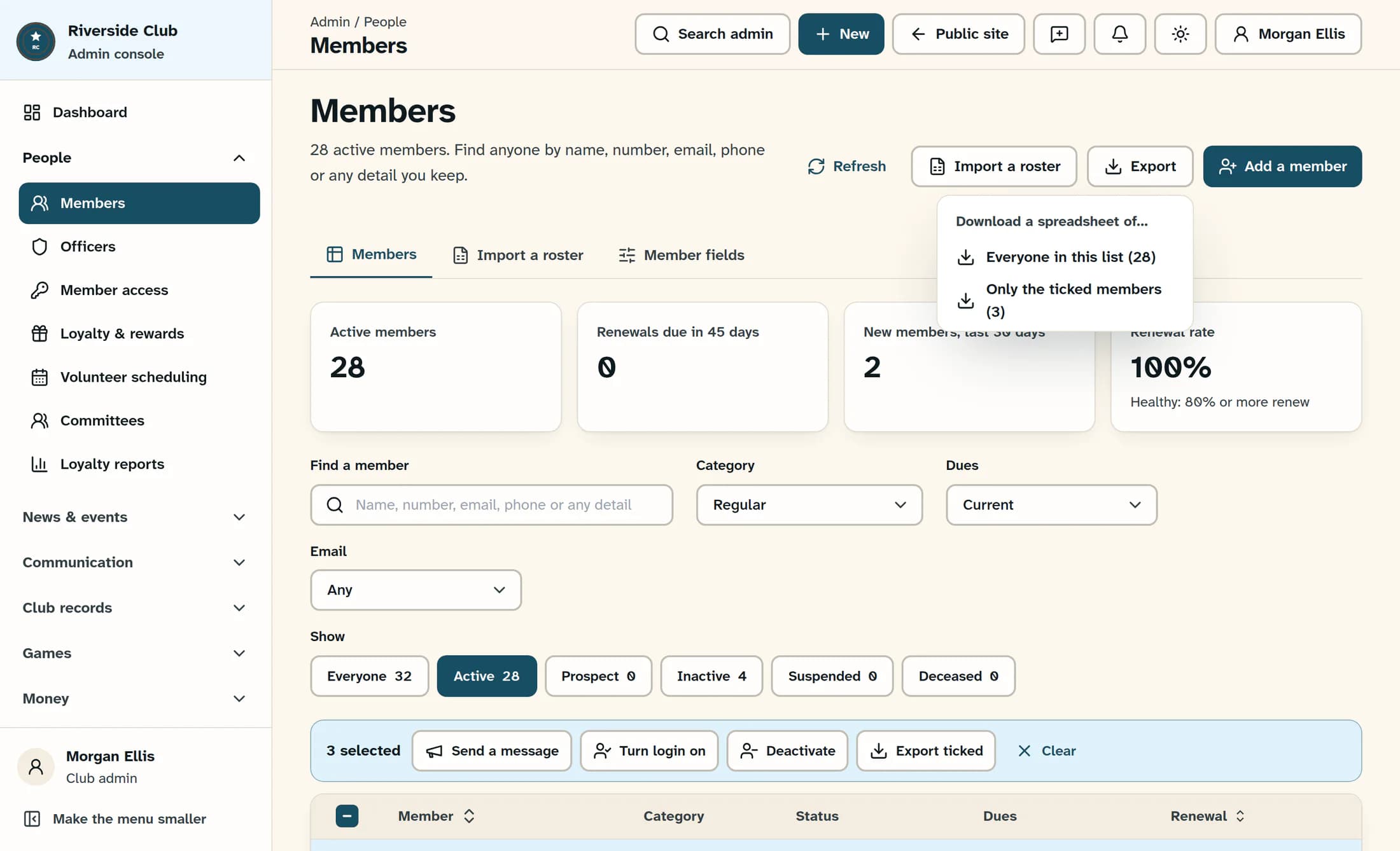
Step 4 of 4
Check the downloaded file
Compare the number of member rows in the CSV with the count on the export option you chose; do not count the header row. When importing it into a spreadsheet, set member numbers and phone numbers to text so leading zeroes and phone formatting are preserved.
Each export contains the fixed standard columns plus every active custom field. Standard columns include names, email, phone, role, login status, member number, membership status and type, club category, membership and renewal dates, dues details, and Notes. Column headings can use your club’s field names. There is no column picker.
This is a roster extract, not a full database or payment-history backup.
If the download needs another look
Result
You have a CSV for the export scope you chose. Check its member count and contents before sharing it.
The illustrations are source-based reconstructions with fictional member details, based on ClubWorks release 16782cba. No live roster was exported and the workflow was not tested in a live account.
