
On this page
Before you start
Step 1 of 6
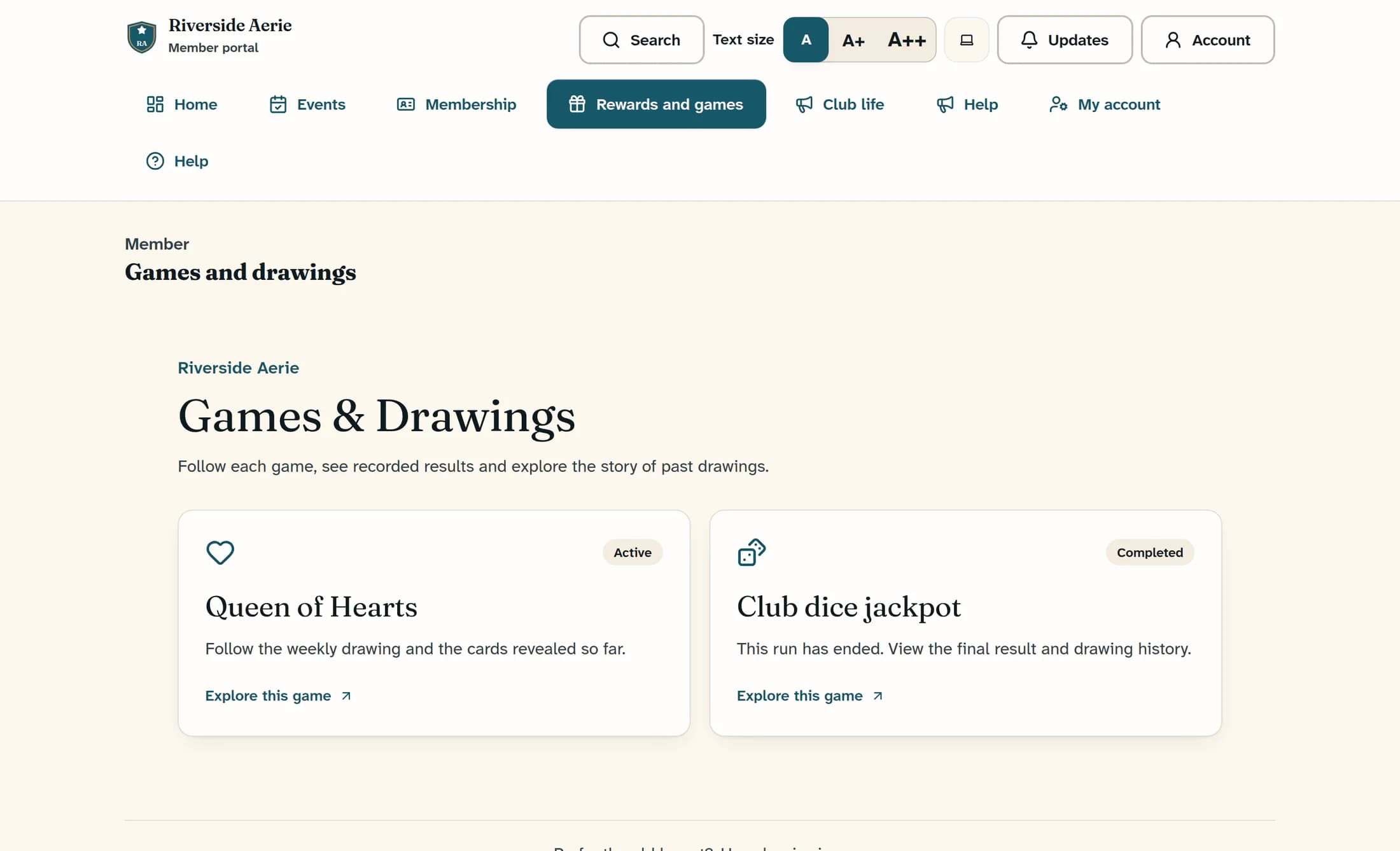
Choose a game
Open Rewards and games in the member navigation to reach Games and drawings. Check each game’s name, summary and status, then choose Explore this game to open it.
Step 2 of 6
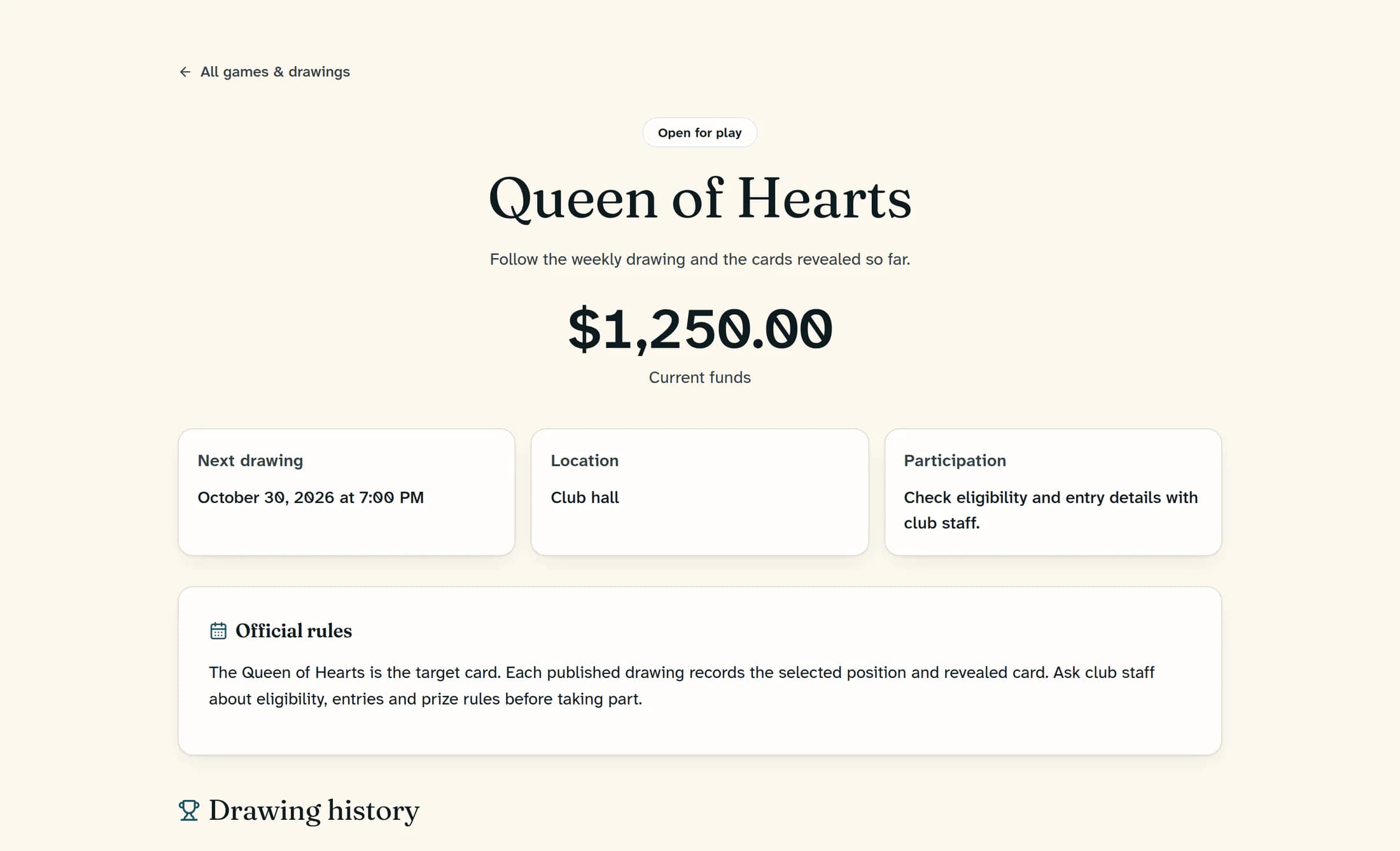
Check the drawing details and rules
Check the displayed Current funds or Featured prize, Next drawing and Location. Read Official rules or How this game works, plus any Participation or Cost to play information. If the date says To be announced or the game is Temporarily paused, ask your club about the schedule.
Step 3 of 6
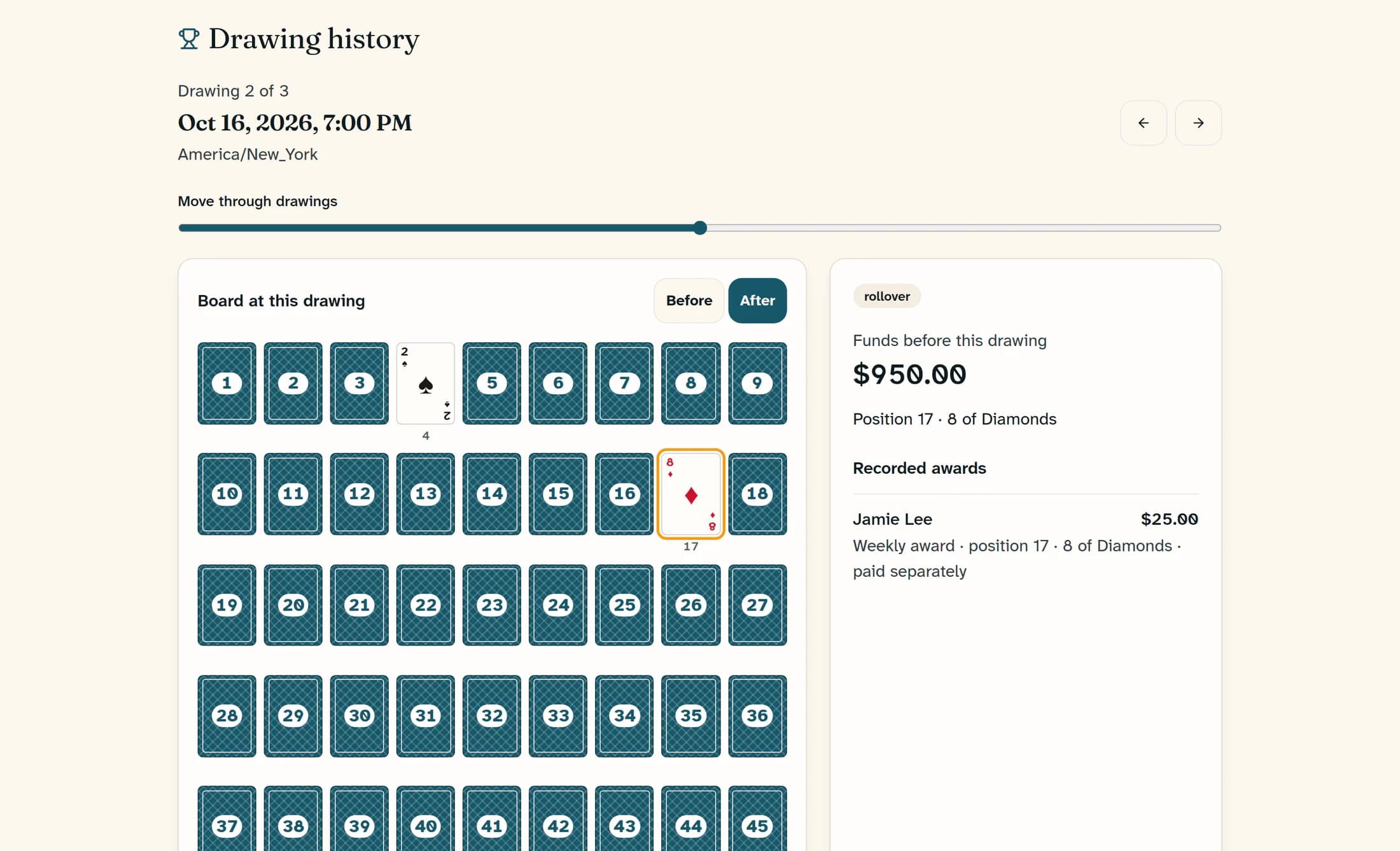
Explore drawing history
Scroll to Drawing history to see the latest recorded drawing. Use the Previous drawing and Next drawing arrows, or the Drawing timeline slider under Move through drawings, to choose another drawing. Check its date, time zone, outcome, Funds before this drawing and Recorded awards.
Step 4 of 6
Read a card board when one is shown
Use Before and After to compare the board around the selected drawing; gold outlines mark cards drawn in that drawing. Face-down positions do not show their card faces, and Unknown or Face not recorded means the available history is incomplete. No recipient recorded for this drawing means the displayed record does not name an award recipient.
Step 5 of 6
Check earlier or completed runs
If Previous run appears below the history, expand it to explore an earlier run’s drawings. A completed game shows Run completed, Recorded awards in the final drawing, Final drawing and Final drawing funds; these describe the finished run. A new run appears when the club launches it.
Step 6 of 6
Return to the games list
Choose All games & drawings at the top of the game page to return to the list and open another game.
If games or results are missing
Summary
Use the game details for the displayed schedule and rules, then use drawing history to review recorded outcomes. Ask your club for participation instructions or information that has not been published.
