
On this page
Before you start
Step 1 of 5
Open Time Off
In Workforce, open Team, then Time Off. On a phone browser, use More or search the navigation for Time Off. Select Request time off to open the form.
Step 2 of 5
Enter your dates
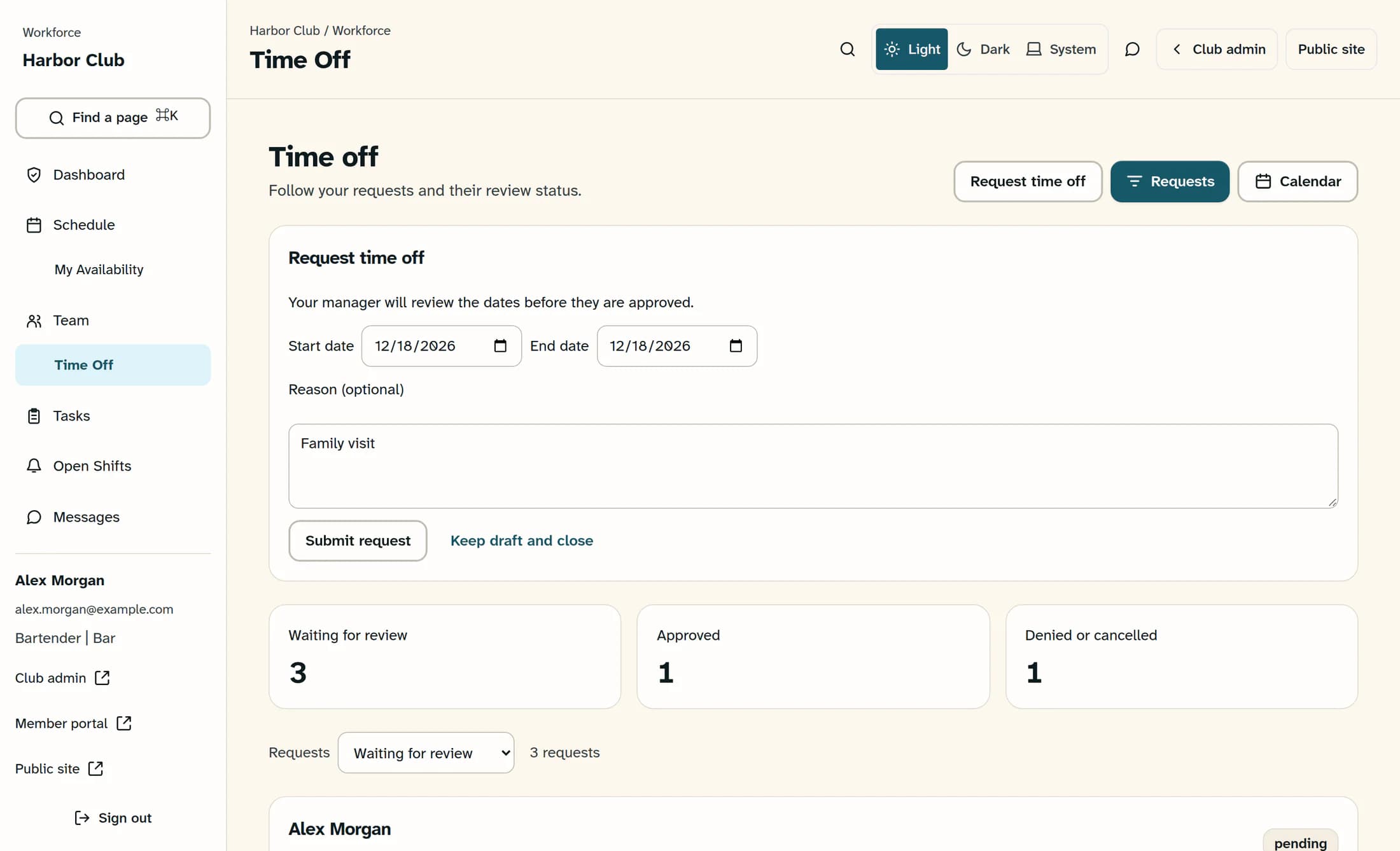
Enter Start date and End date; the end must be on or after the start. For one day off, use the same date in both fields. Add a Reason (optional) if you want to explain your request.
Step 3 of 5
Submit the request
Check your dates, then select Submit request once. Wait for “Your request was submitted for review.” The form closes and your request appears under Waiting for review; it has not been approved yet.
Step 4 of 5
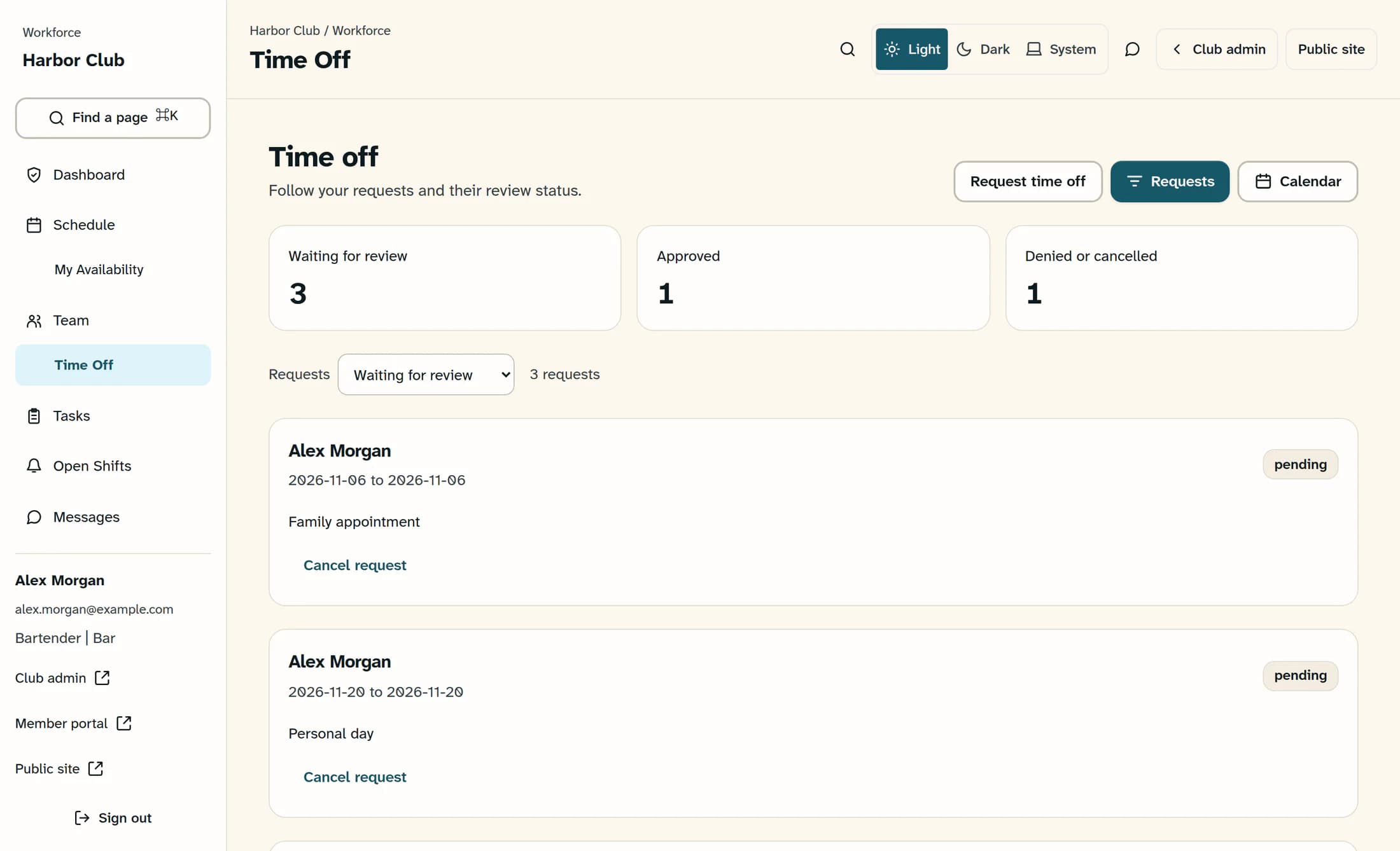
Follow the review status
Open Requests and use its filter to choose Waiting for review, Approved, Denied or cancelled, or All requests. Each request shows its dates, reason and status. Select Calendar for a date-based view, and Requests to return to the list.
Step 5 of 5
Cancel a pending request if needed
If your plans change before approval, find your own pending request in Requests and select Cancel request. After cancellation succeeds, it appears under Denied or cancelled. Contact your manager to change leave that is already approved.
Tips
Outcome
Your submitted request is waiting for your manager’s review. Its status in Requests tells you whether it is pending, approved, denied or cancelled.
Troubleshooting
- No Request time off button: ask your manager to check that your account is linked to your employee profile and has access to Time Off.
- Date error: both dates are required, and End date must be the same as or later than Start date.
- Submission failed or confirmation is unclear: refresh, then check Requests with All requests before retrying. If the request is already there, do not submit it again.
- Cancellation was not confirmed: refresh and check the request’s current status before retrying. Cancel request is available only for your own pending requests; contact your manager if the leave is already approved.
- No requests in this view: try All requests to check whether a different status filter hid the request.
