
On this page
The big screen
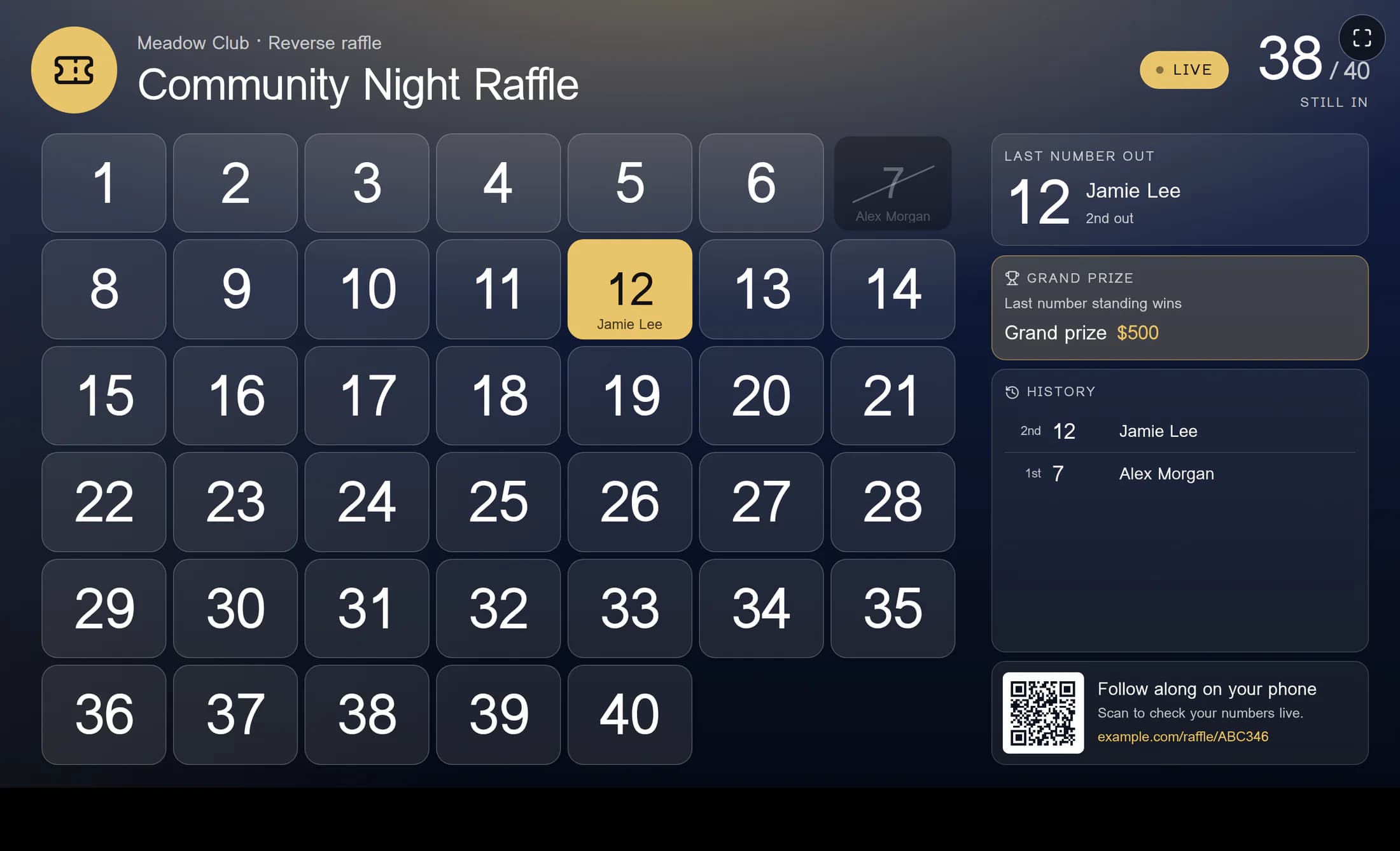
The big screen shows the raffle board for a TV or projector; the Big screen & phones preview shows how it will look. Open the big screen opens a separate window, while Copy the link lets you open it on the TV computer; if the window is blocked, allow pop-ups for the site. Press F inside the screen or move the pointer to reveal its full-screen button. Anyone with the big-screen link can see the board and the names shown there, so share it only with people running the night. The illustration is a source-based reconstruction using fictional club and raffle details.
Following on phones
When Phones can follow along is on, people can scan the QR code or visit the club website’s raffle page to watch the board, see the history and check their numbers without signing in. The phone link can also be copied or printed as a QR sign; it needs a club website address, and the settings page says when none is available. Phone following also depends on the club offering Games & Drawings, and an archived raffle is unavailable to follow. Turning off phone following makes its page unavailable.
Names and privacy
Names on the big screen and Names on phones are separate choices: Full name, First name, last initial, or Numbers only. These choices control names sent to their respective audiences; ticket-holder notes stay in the control room. The control room is for organizers and requires sign-in and Games permission. Its view contains full names and notes, so the phone privacy choice does not limit what an authorized organizer sees there.
Preview and saved settings
Changes appear in the big-screen preview as you make them. They are not sent to the big screen and phones until you select Save; the screens update in a moment after a successful save. Undo changes restores the saved settings while there are unsaved changes. The preview illustrates the big-screen view; the separate phone name choice controls the phone page.
When a link changes
If a big-screen link was shared too widely, New big-screen link replaces it. The old link stops working, and the screen needs to be opened again using the new link. New phone link makes a new code after confirmation: old phone links and printed QR signs stop working, so share the new link and print new signs. The old big-screen link also stops working because its address contains that phone code; open the big screen again to use its current address.
Keep each audience in mind
Use the screen link for the people running the room and the phone link for the wider audience. Check each name setting and save your changes before sharing.
