
On this page
Which members are included
A record is included when the person has both a ClubWorks user record and a membership record in the same linked club. The export has no active-only filter: inactive, suspended and dues-overdue memberships are included too.
An activated login, a previous app sign-in and an existing loyalty account are not prerequisites. A user record without a membership in that club is not enough.
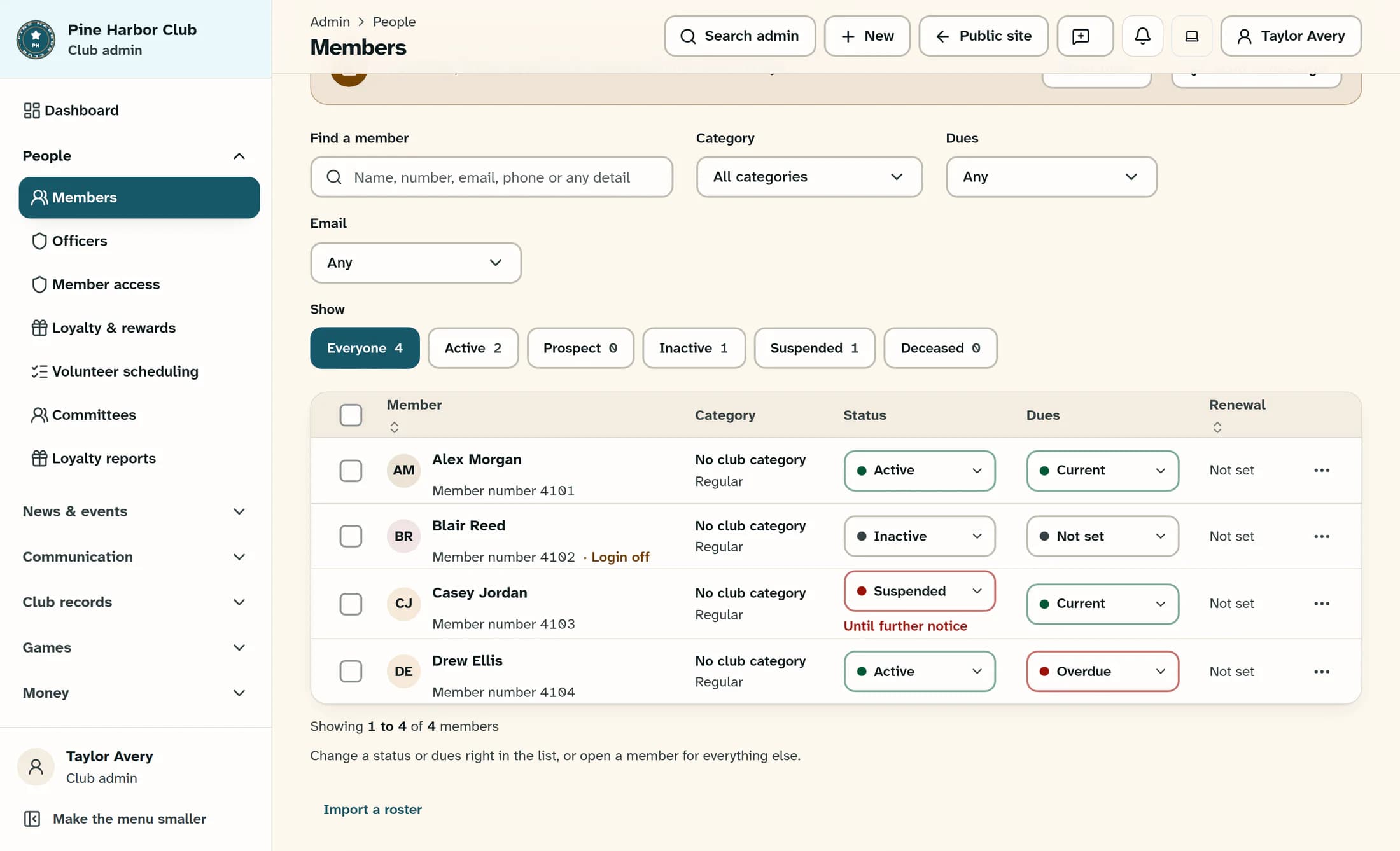
In this fictional Members view, Alex is active with current dues, Blair is inactive with unknown dues and login off, Casey is suspended, and Drew has overdue dues. Those differences do not remove their same-club membership records from the export.
What TabWorks receives
The member export carries these details:
- ClubWorks member identity, first and last name, phone and login-active flag.
- Member number, membership status, dues status and dues-paid-through date.
- Membership category and joining date.
- Points balance, current suspension flag and suspension end date when present.
- A change marker used to fetch updated records.
Email and address are not fields in this export. A member without a loyalty account is exported with 0 points; that value does not prove that a loyalty account exists or that the member can use loyalty features.
A synchronized record is not an approval
Identity synchronization and permission to use a service are separate decisions. An exported member may still be unable to earn purchase points, spend points, redeem a coupon or gain physical entry under the rules for that service.
Likewise, the exported login-active flag is information about the record, not a filter that excludes everyone whose login is off. Suspension details can also differ briefly around a date boundary: the export evaluates its current date, while member-portal access uses the club’s local date.
Why changes may take time
The October 21, 2026 Phase 2 integration record documents TabWorks server pulls every five minutes. It also records a manual Sync now option in TabWorks Cloud Admin; this article does not describe that separate product’s controls or verify its current deployment.
Changes to the user, membership, loyalty account or suspension record contribute to the export’s change marker. TabWorks fetches changed records in ordered pages, so a ClubWorks update becomes available through later synchronization rather than appearing instantly at every register.
Each export page contains at most 1,000 records. More pages can follow: 1,000 is a page size, not a club membership limit. The documented five-minute schedule is not a guarantee that a disconnected or unhealthy register has a fresh copy.
One-way sync and matching member numbers
The same October 21 integration record says that a hand-entered TabWorks member with a matching member number can be adopted during synchronization instead of duplicated. This describes the documented external behavior; it is not a fresh test of your club’s records or a guarantee that every existing duplicate will be merged.
Member synchronization runs from ClubWorks to TabWorks. Members created only in TabWorks stay there; they do not become ClubWorks members through this process. ClubWorks remains the source for the shared membership record.
What a linked club means
The TabWorks organization is associated with a particular ClubWorks club. Export requests require an authorized, configured bridge and an active linked club; the club boundary determines whose members can be returned.
The “TabWorks organization linked” badge in ClubWorks integrations identifies that association. It does not establish when the last member sync succeeded, whether every register is online, or whether a member is eligible for a particular service. Saving provider settings also does not verify a connection.
Why a member may be missing
A missing record can have several causes:
- The ClubWorks user has no membership record in the linked club.
- The register’s organization is linked to a different club, or the intended link is missing.
- The club is inactive, or the bridge is unavailable or cannot authorize the request.
- The change is still waiting for a successful pull or for the register’s copy to catch up.
A useful support report identifies the club, member number, expected change and when it was made. A missing record or unavailable connection is not a reason to delete the ClubWorks member; the record relationship, club association and synchronization health need separate review.
About this illustrated draft
This explanation uses ClubWorks source from October 21, 2026 and its dated TabWorks Phase 2 integration record. The illustration reconstructs the ClubWorks interface with fictional people and data. No live synchronization, register workflow or external TabWorks screen was verified.
In short
Same-club user and membership records determine export inclusion. Status and points travel with the record; they do not promise eligibility or instant availability at the register.
