
On this page
Before you begin
Step 1 of 6
Work through your paperwork
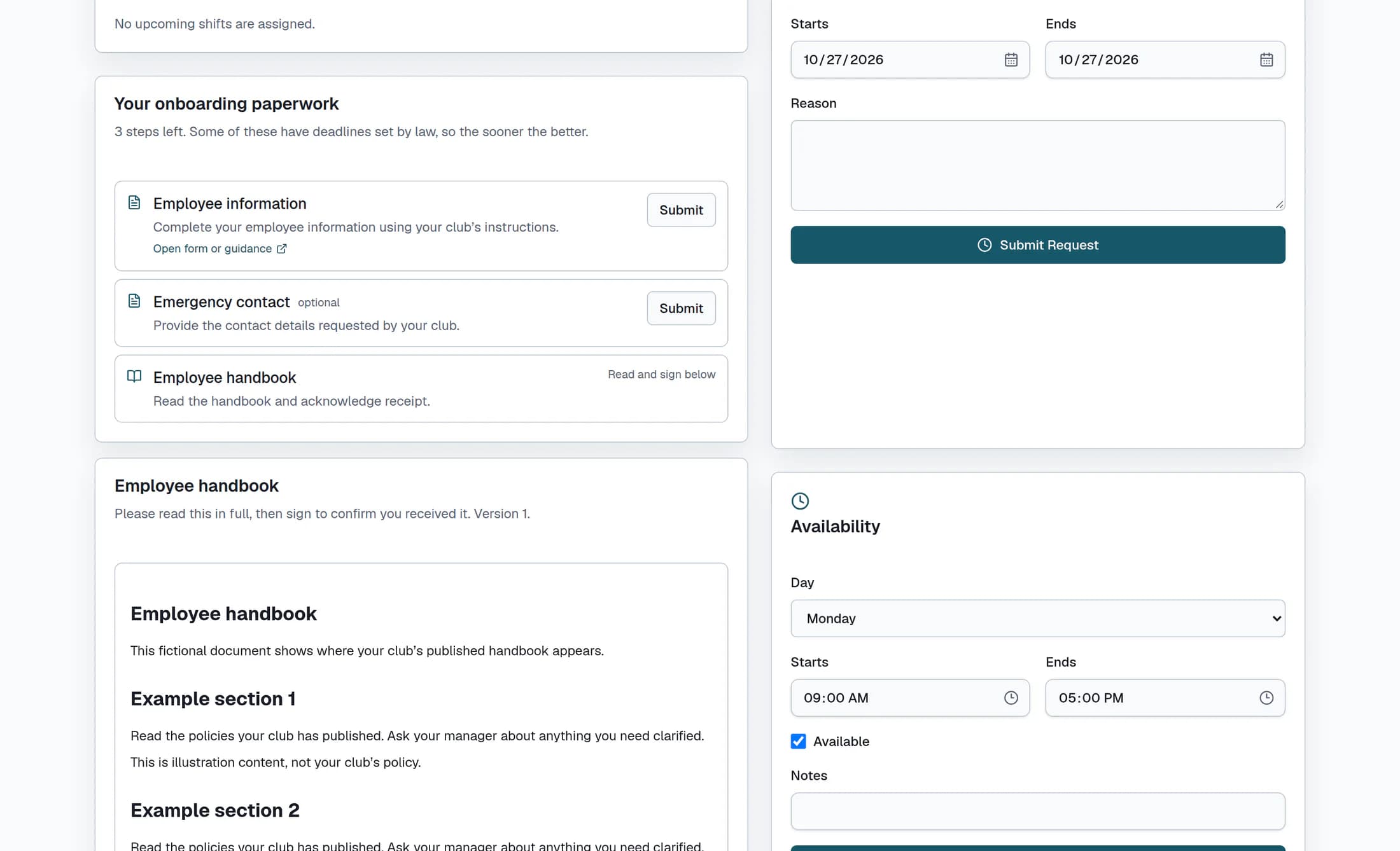
Find Your onboarding paperwork below My Schedule; it lists the items assigned to you, including any marked optional. Where available, select Open form or guidance and follow those instructions, then select that item’s Submit when you have done your part. The handbook item directs you to Read and sign below instead.
Step 2 of 6
Check what was submitted
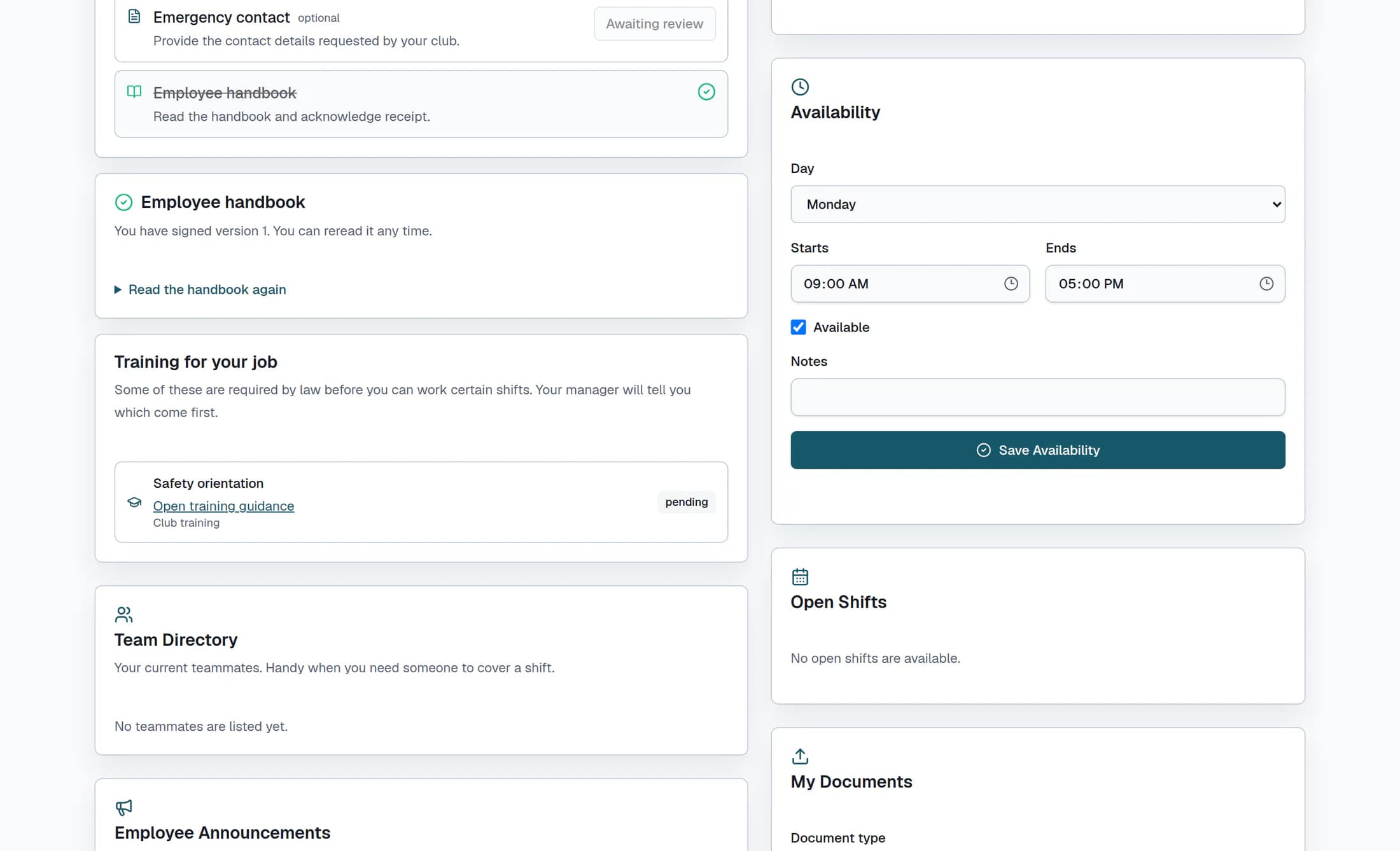
A saved submission shows Submitted for manager review., and its button becomes Awaiting review. This means your work is waiting for review; it does not mean the item is complete. Completed or waived items have a checkmark and a crossed-out name.
Step 3 of 6
Read the handbook in full
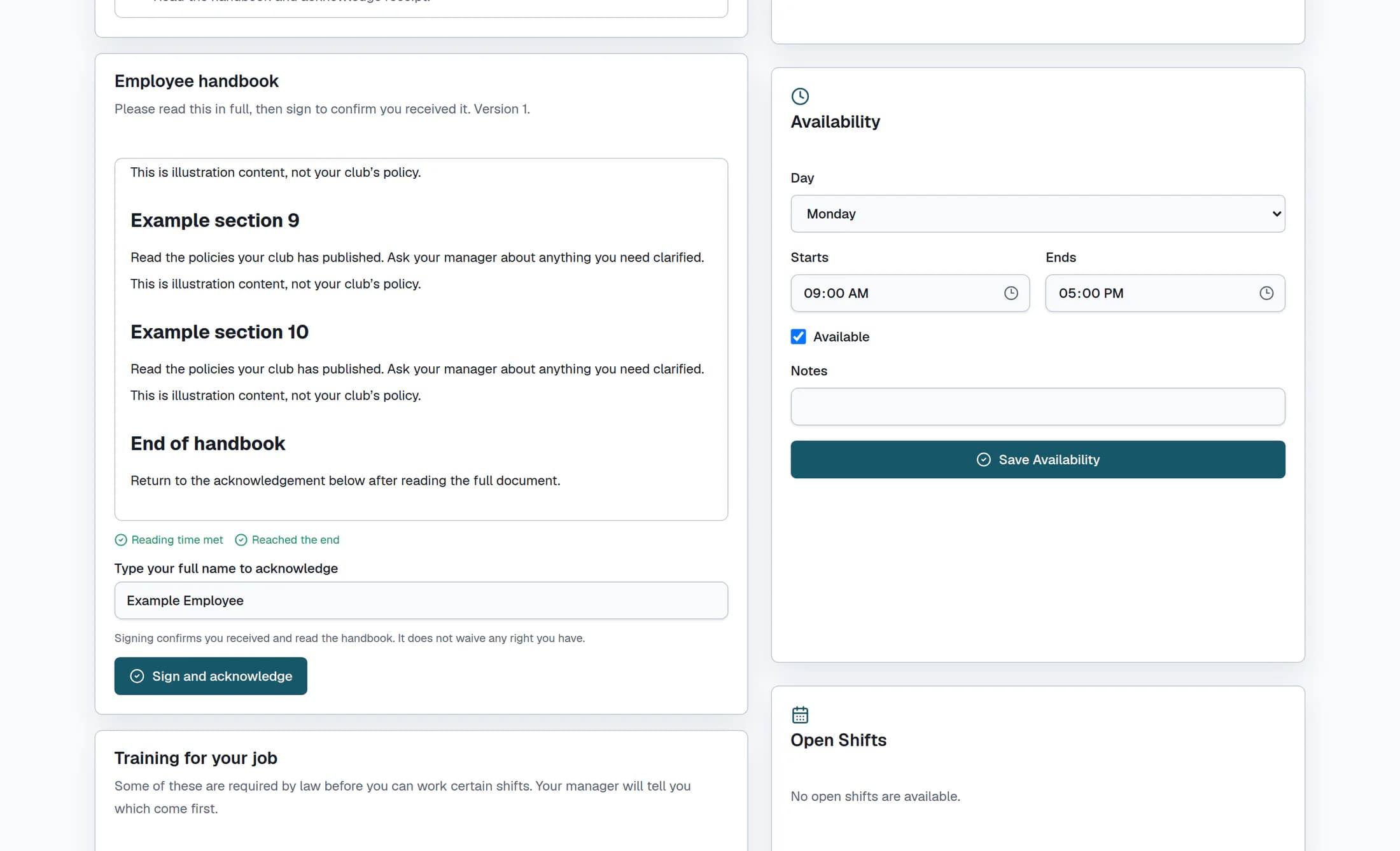
Read the published handbook inside its scrollable document area, continuing to the end. Reading time counts while the browser document is visible; switching to a hidden tab pauses that count. The indicators change from Keep reading and Scroll to the end to Reading time met and Reached the end when the club’s minimum time and the end-of-document condition are met.
Step 4 of 6
Add your name and acknowledge
In Type your full name to acknowledge, check or enter your full name; the field starts with the name from your employee profile. Once Reading time met and Reached the end appear and your name is filled in, select Sign and acknowledge. Signing confirms that you received and read the handbook and does not waive your rights.
Step 5 of 6
Check your acknowledgement and reread
After a successful signature, Thank you — your acknowledgement is on file. appears and the handbook card says you have signed that version. Select Read the handbook again whenever you want to reread it.
Step 6 of 6
Follow your assigned training
Under Training for your job, check the listed training and its status, then select Open training guidance where a link is available. Follow your manager’s instructions about which requirements come first. This section provides guidance and status; opening a link or signing the handbook does not complete a certification.
If something is missing or will not save
Summary
Your paperwork, handbook acknowledgement and training each have their own progress. An Awaiting review item still needs review, and any remaining training requirements need follow-up with your manager.
