
On this page
Before you begin
Step 1 of 5
Find your onboarding paperwork
In Your onboarding paperwork, read the item description, any optional marker and the completion or review cues. Select Open form or guidance when available to open the resource in a new tab. Return to the portal when you finish reading.
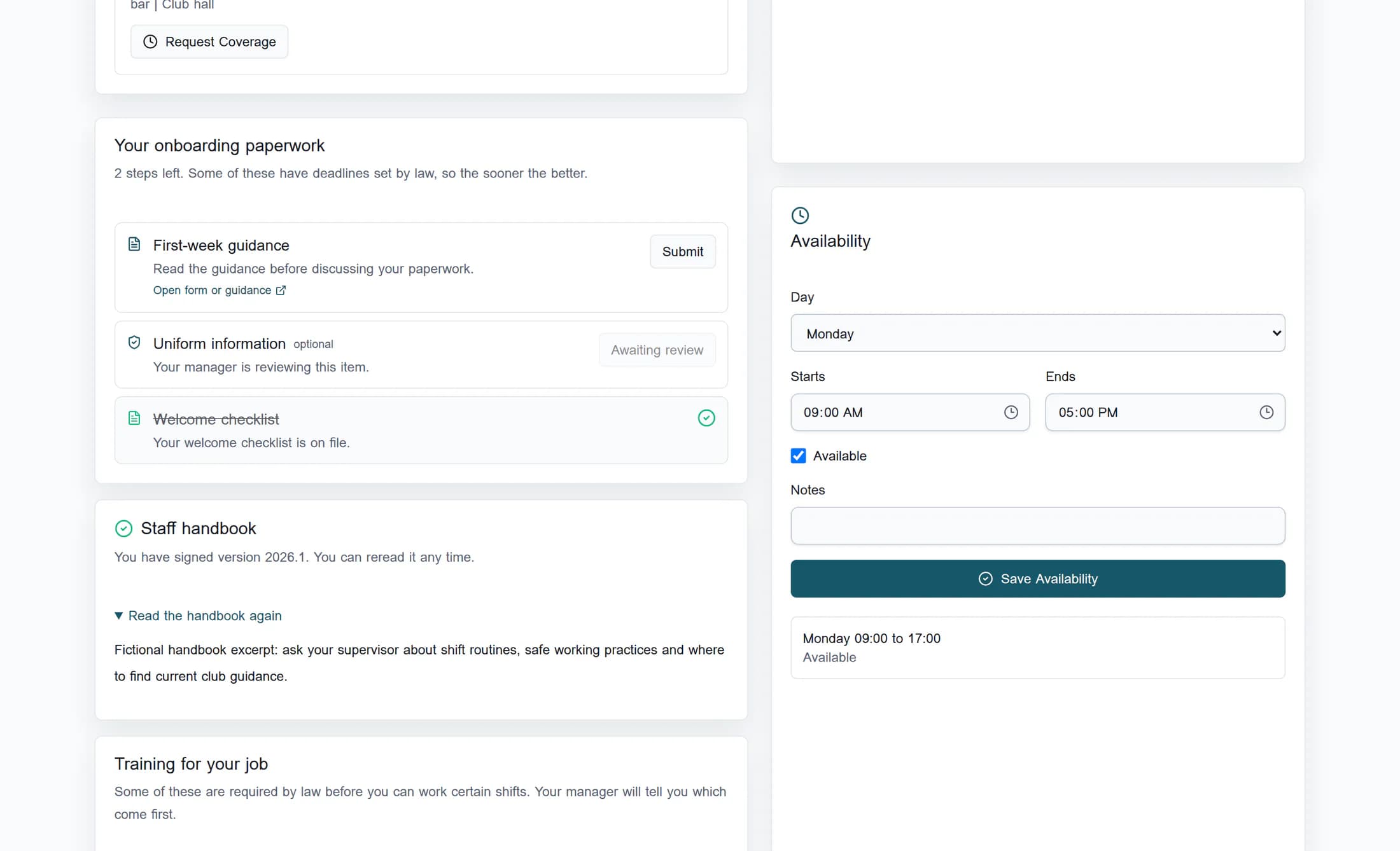
An item may already be complete or awaiting review. Opening its guidance does not submit it for review.
Step 2 of 5
Reread the handbook
Find the handbook card and check its version. For a version you have already acknowledged, select Read the handbook again to expand the text in the portal. Rereading does not create another signature.
If you have not acknowledged the current version, the handbook text appears with separate reading and signature controls. Follow your club’s instructions for acknowledgement.
Step 3 of 5
Open your job training guidance
In Training for your job, review the assignment name, provider when shown and status. Select Open training guidance on the relevant assignment when available. The linked resource opens in a new tab.
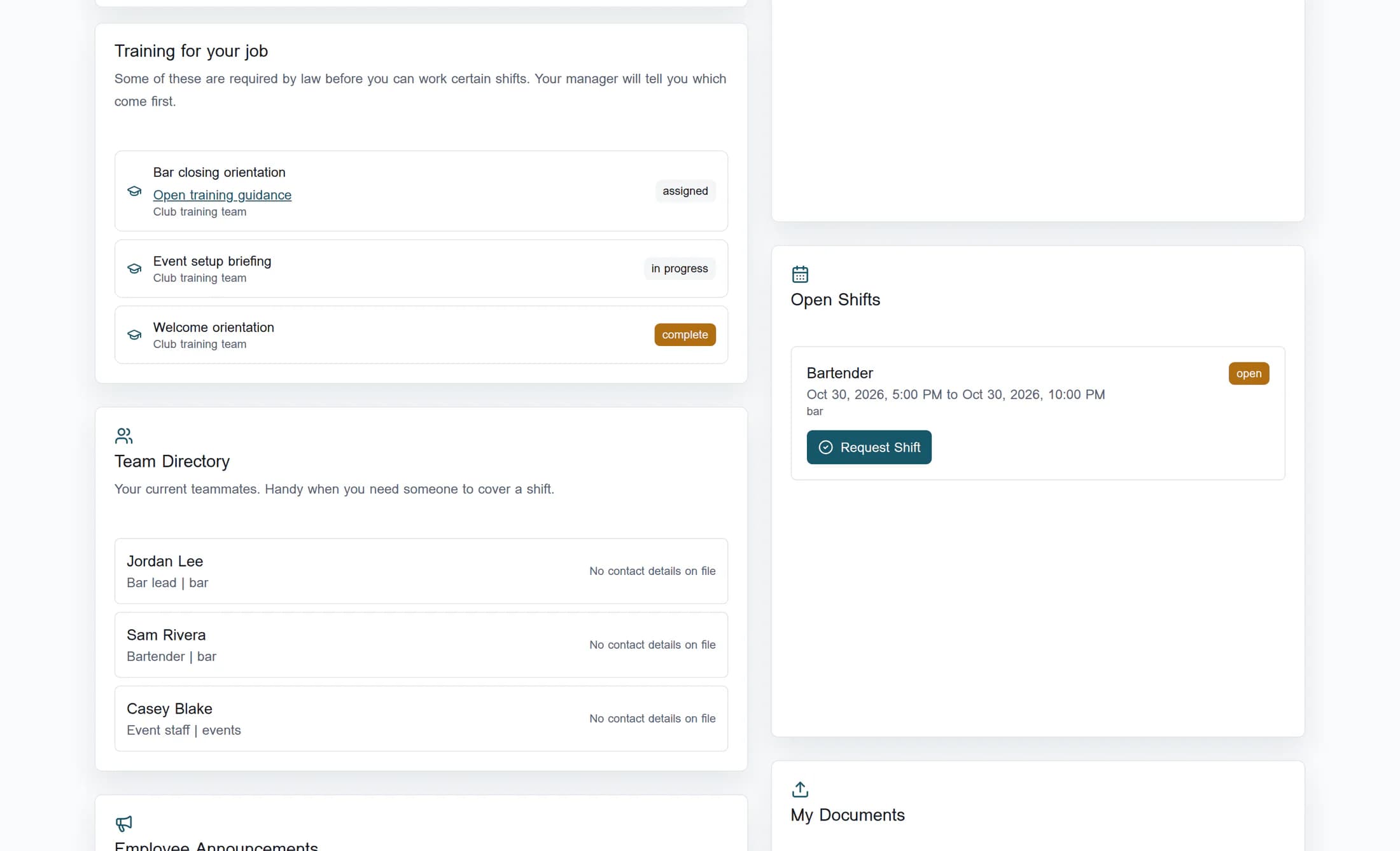
The link appears only when your assigned training has a linked catalog resource. These cards show training status; they do not show training due dates or expiry dates.
Step 4 of 5
Check task due dates and statuses
In Onboarding Tasks, read each task’s description, Due date and status. Not set means that task has no due date shown. Ask your manager if you need a deadline or the status seems wrong.
These are on-screen reminders; this guide does not set up email, push or phone reminders. The open-task count at the top counts this task list’s unfinished, unwaived assignments, not every paperwork or training item. Reading a task does not mark it complete.
Step 5 of 5
Open an existing personal document
In My Documents, identify the existing file by its filename, document type and date. Select Open on that file’s row to open it in a new tab. The Upload form above the list is a separate operation.
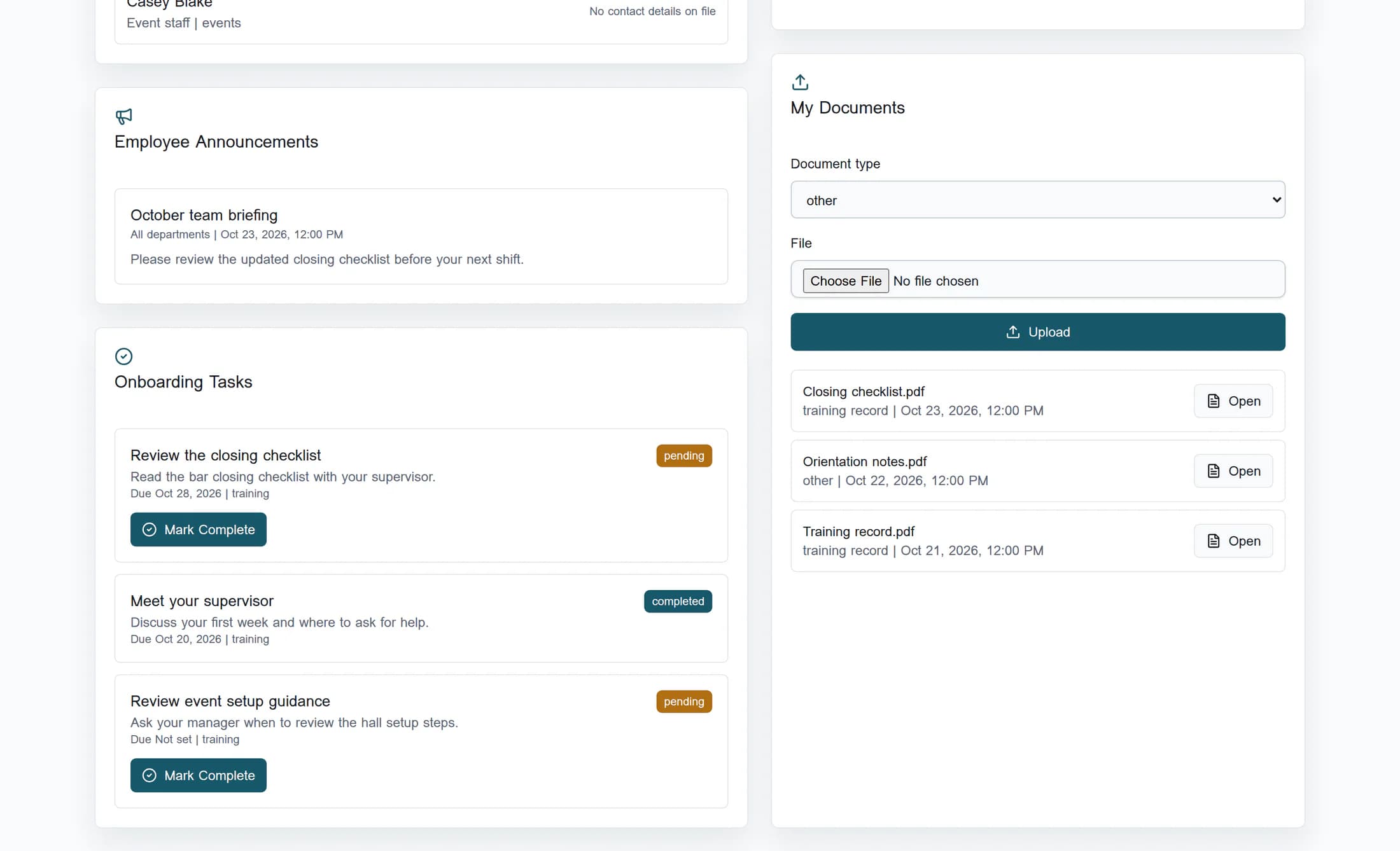
For stored employee documents, the portal creates a private link valid for five minutes. Older documents with a direct file link open that link instead. Only files visible to your employee account appear here; My HR Records is a separate area, so this list is not a complete record of every HR document.
If you cannot find or open a resource
What you have checked
You have located the available guidance and documents and checked the portal’s task reminders. Opening or reading a resource does not complete training, submit paperwork, upload a file or sign the handbook.
Illustrations reconstruct the browser portal from the accepted application source using fictional employee records and local document links. They were not captured from a live club account. Live access, document delivery and reminder delivery have not been verified.
