
On this page
Before you begin
Step 1 of 4
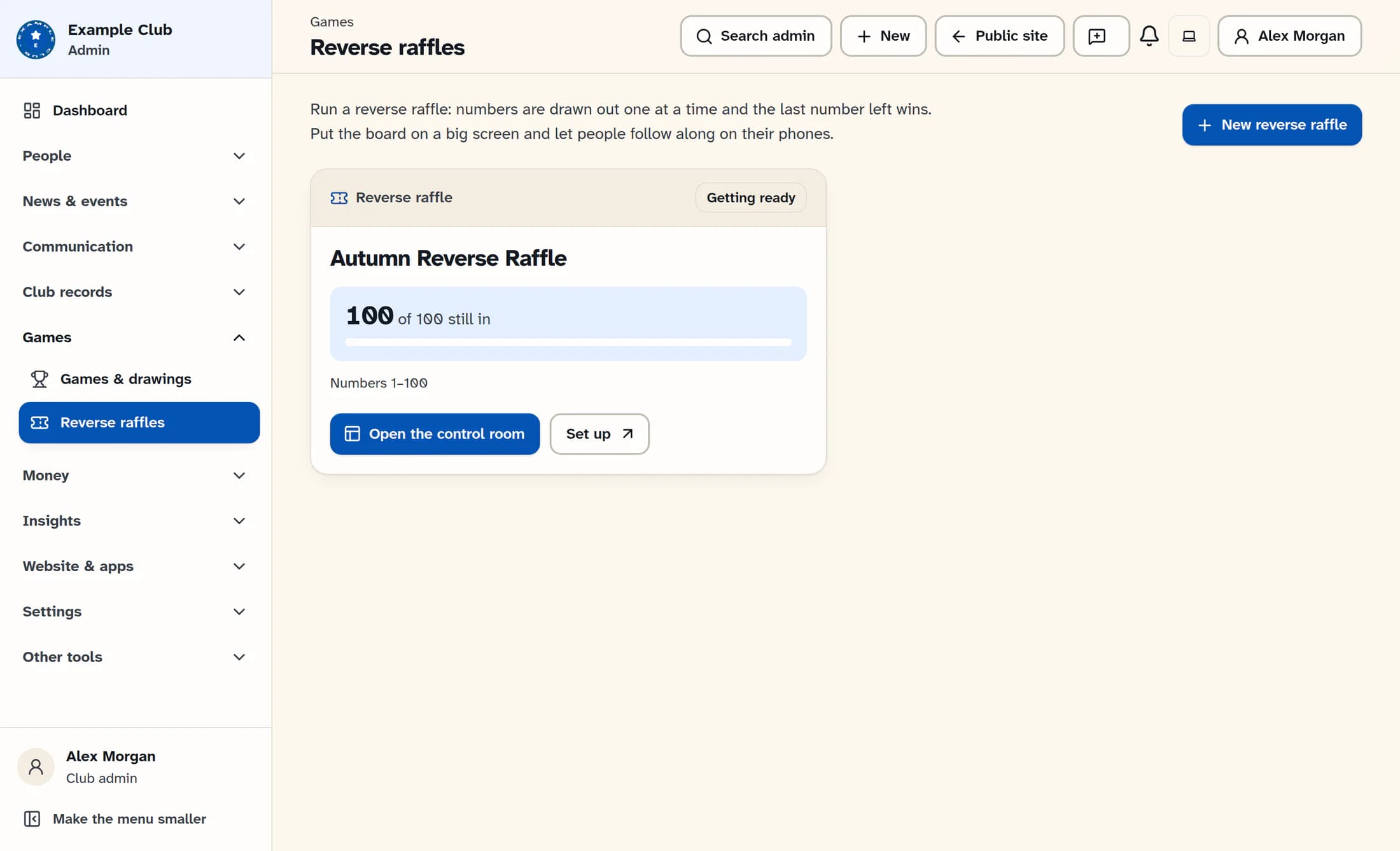
Open the control room
In the reverse raffle list, find your raffle and select Open the control room. It opens in a separate tab, which you can move to its own window or laptop.
Step 2 of 4
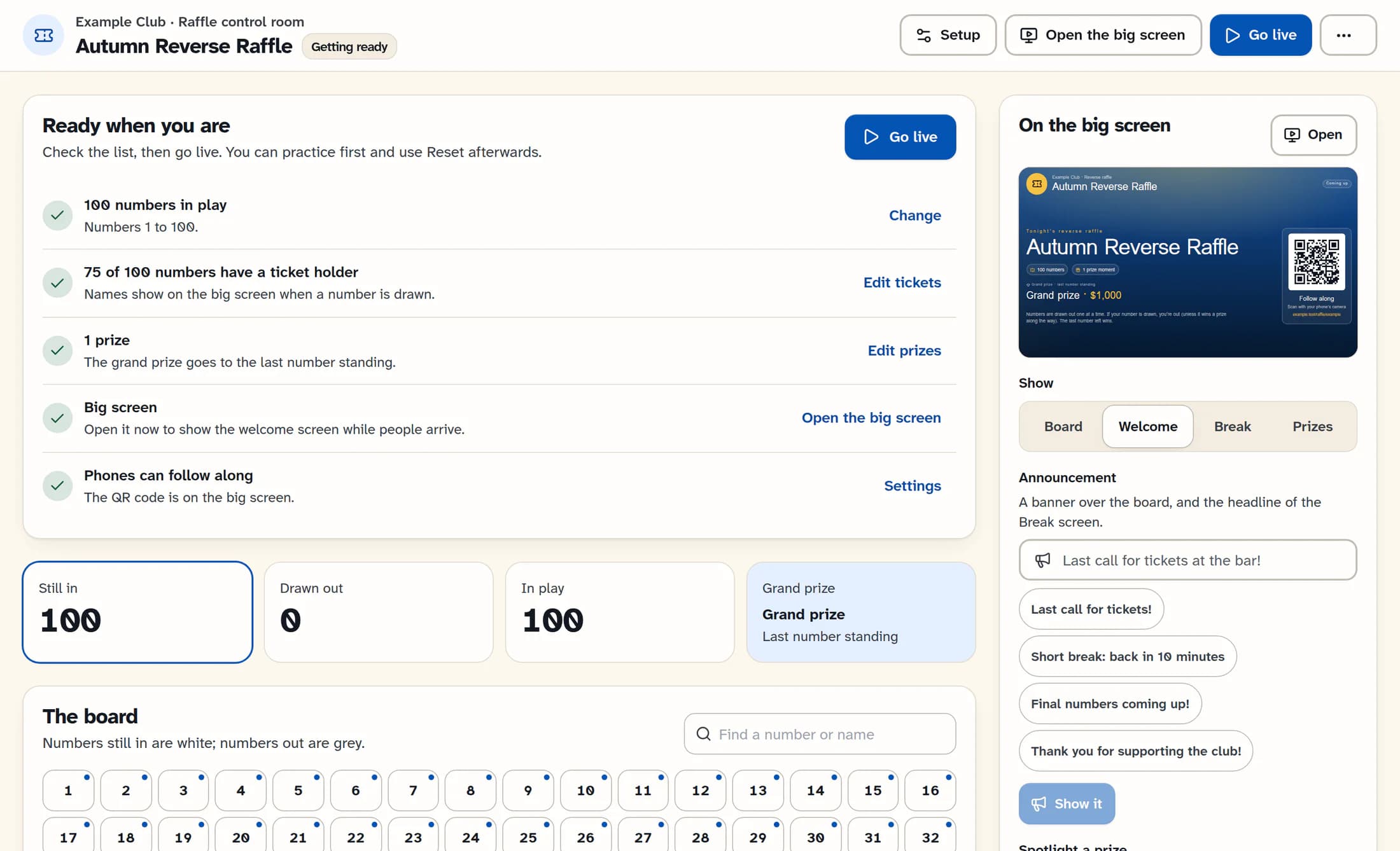
Check the readiness list
On a raffle that is getting ready, review Ready when you are: numbers in play, ticket holders, prizes, the big screen and phone following. Use the links beside an item to adjust its setup; ticket holder names are optional.
Step 3 of 4
Open the audience screen
Select Open the big screen to show the current audience screen. Move that window to the TV or projector and press F or its full-screen button. If the browser blocks the window, allow pop-ups for the site or use the big-screen link from the raffle’s screen settings.
Step 4 of 4
Start when you are ready
After checking the setup, select Go live. The drawing controls appear in the control room, where you can draw at random or record a number drawn by hand.
Tips
You’re ready
The control room is open and the raffle is ready for its drawing.
