
On this page
- Before you start
- If the questions never load, retry loading
- Resolve a sign-in or access message
- Which account can respond?
- Correct highlighted questions
- Match the answer to the question
- Send the corrected response
- Check whether the form is still open
- Handle uncertain delivery
- Treat an explicit reload request carefully
- Confirm that the form accepted your response
- Still stuck? Give the club useful details
- Related tasks
- Devices and checked release
- Summary
Before you start
Step 1 of 8
If the questions never load, retry loading
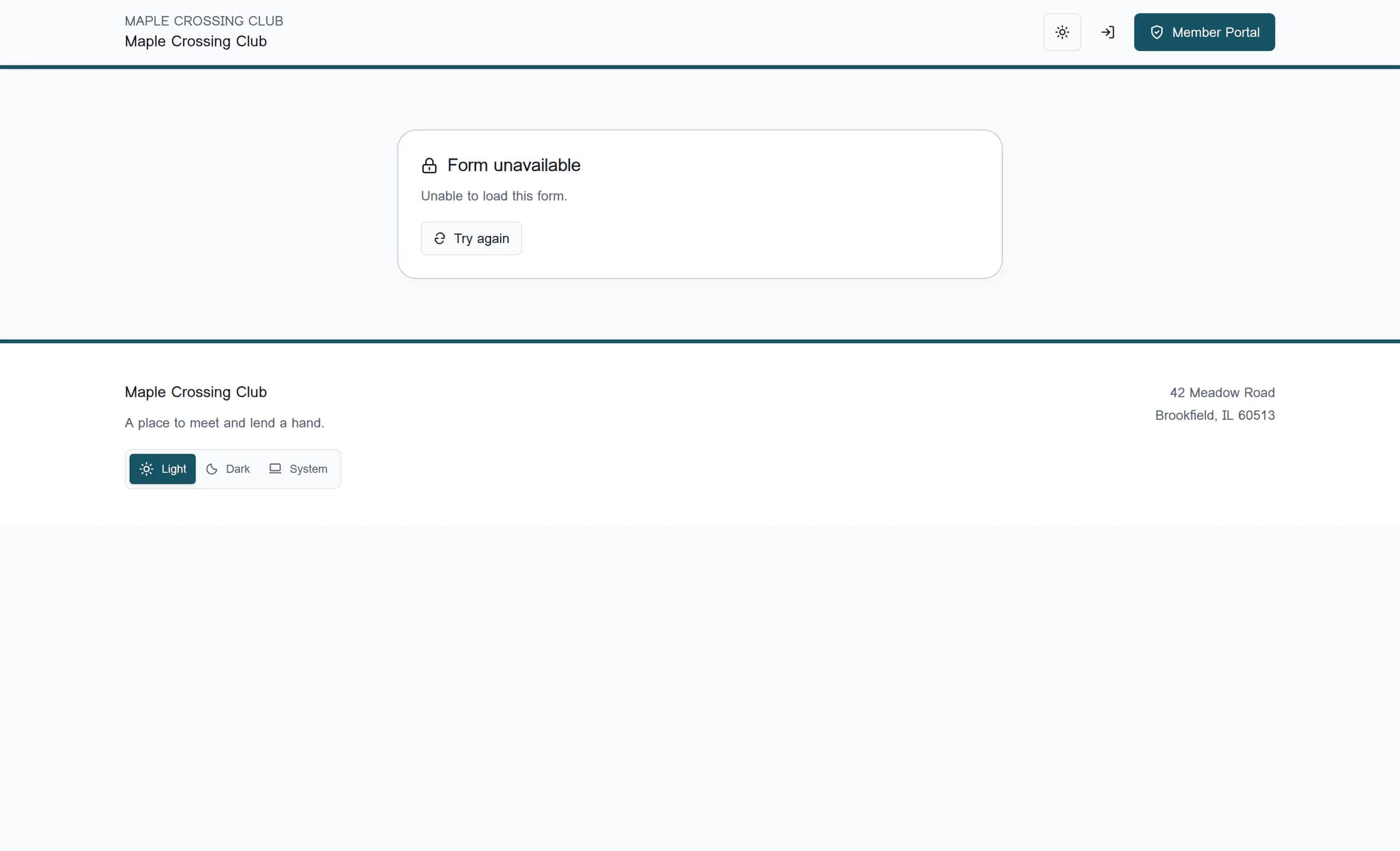
While Loading form… is showing, wait for the form to finish loading. If a loading error appears under Form unavailable, check your internet connection and choose Try again in that card; this reloads the form’s questions, rather than resending an answer.
Step 2 of 8
Resolve a sign-in or access message
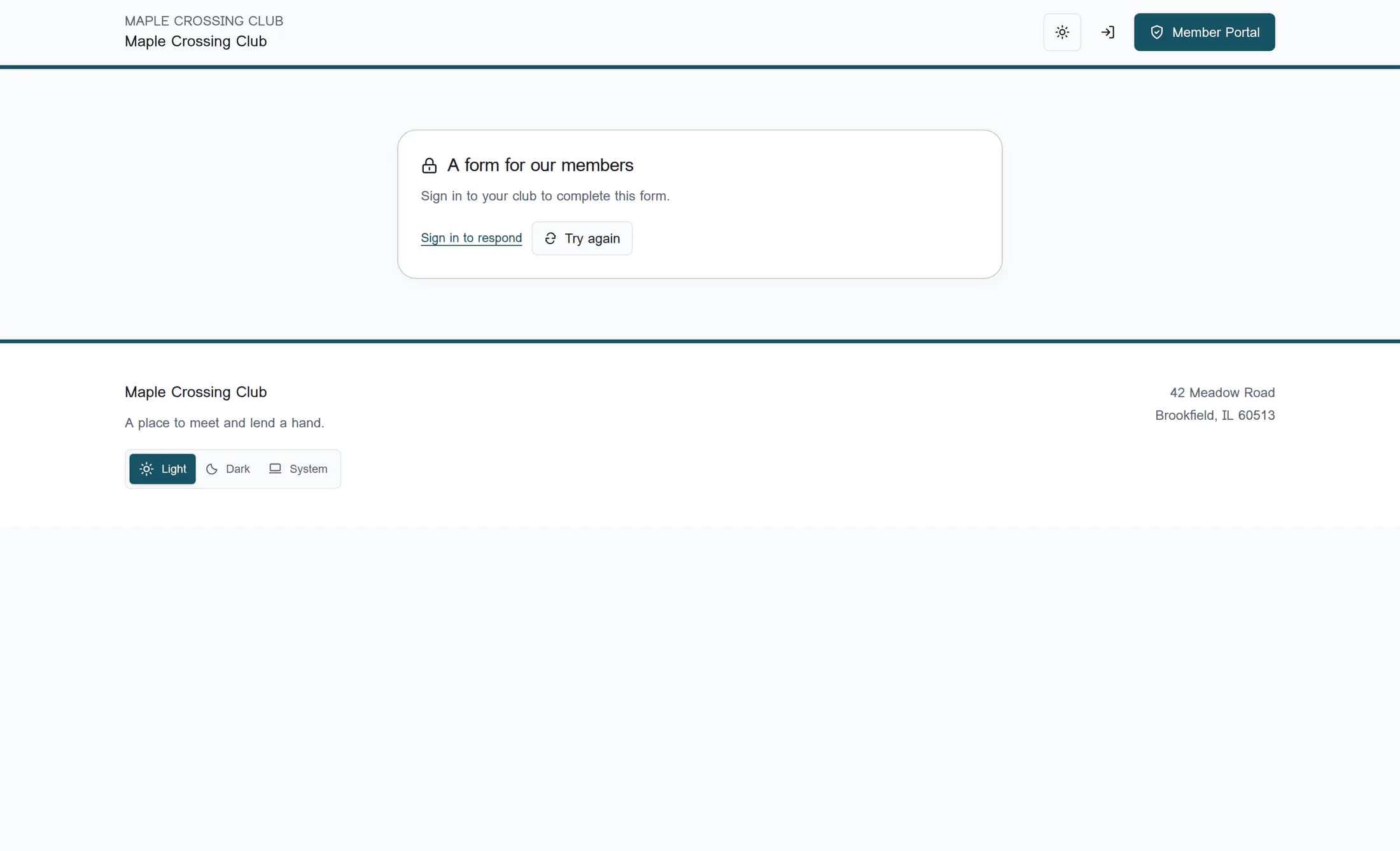
For A form for our members, choose Sign in to respond in the message card and finish your normal club sign-in; that link requests a return to this form. Use an active member account for this same club, and ask the club to check your access if you still see a refusal.
Which account can respond?
- Public forms accept visitors without signing in.
- A signed-in account for another club, or an inactive membership record at this club, does not satisfy a members-only form’s access check.
- If the message says the form is limited to authorized club staff, ordinary member access is insufficient. Officer forms accept the club’s officers or administrators; administrator forms require administrator access.
- If your session has expired, use the form’s sign-in link when offered. If a send attempt is already uncertain, keep that page open and contact the club before starting a separate attempt.
Step 3 of 8
Correct highlighted questions
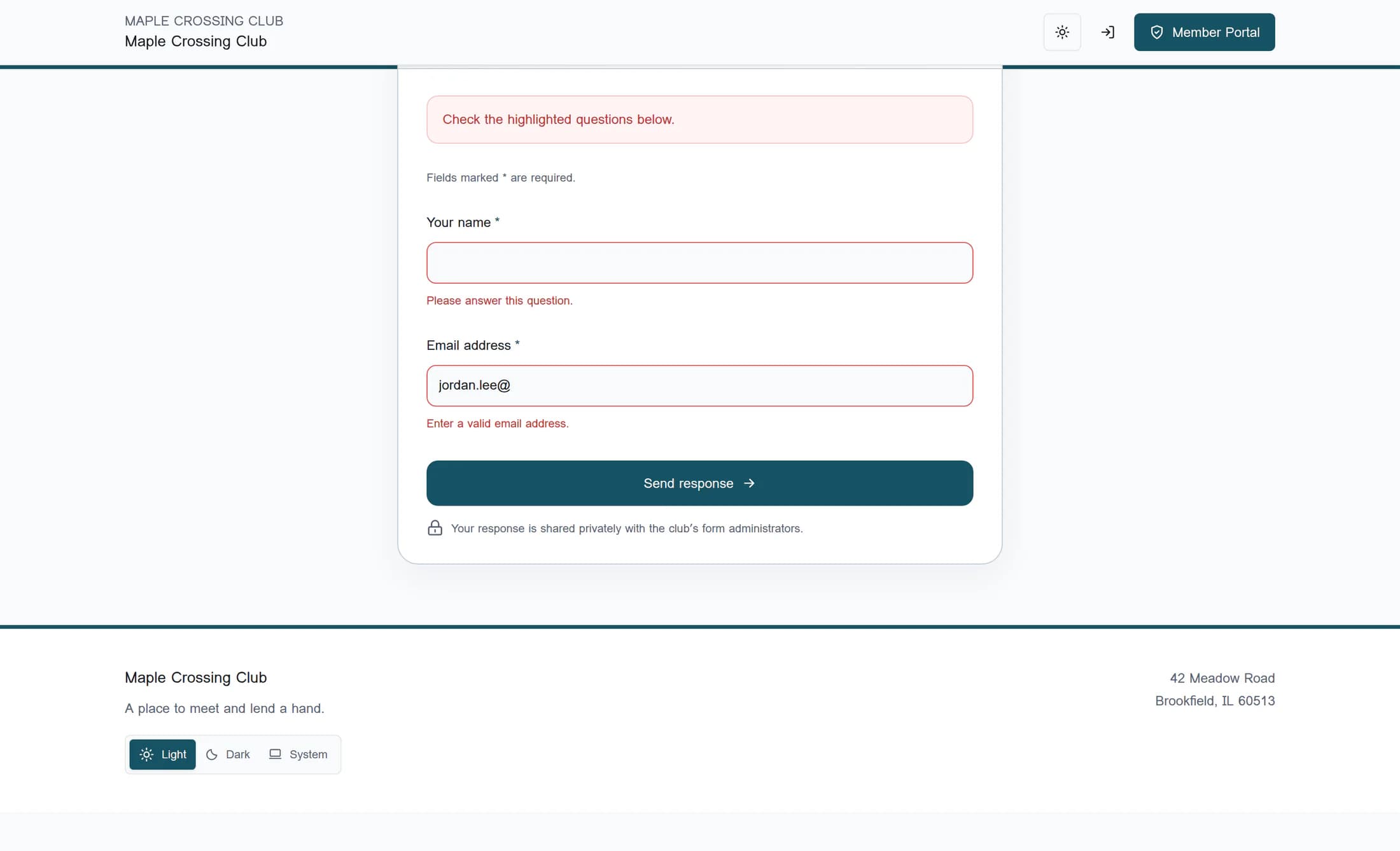
For Check the highlighted questions below. or Check the highlighted questions., read each message beside the highlighted field and correct that answer in place. Fill every visible question marked with an asterisk; an optional answer can also block sending if you enter it in the wrong format.
Match the answer to the question
- Email: enter a complete address with an @ sign and a domain, such as avery.morgan@example.com.
- Number: use digits and a decimal point if needed, such as 12.5. Leave out currency symbols and commas.
- Date: use the date field to choose a real calendar date; an impossible date is invalid.
- Website link: include the full address, preferably beginning with https://, rather than just a website name.
- Choices: use one of the listed options. For a required consent question, confirm only if you agree; contact the club if you cannot give the consent it requires.
- Phone: follow the club’s question and help text. The form does not apply a special phone-number format check.
- Long answers: shorten the response if it says the answer is too long. Other questions may appear or disappear based on your choices; hidden questions are omitted from validation and the response.
Step 4 of 8
Send the corrected response
After correcting the highlighted answers, choose Send response at the bottom of the form once, or the club’s wording on that button. Let Sending… finish before taking another action, then check the result described below.
Step 5 of 8
Check whether the form is still open
If the page says the form is no longer accepting responses, contact the club for another way to respond. A closed or inactive form, a passed deadline, or a reached response limit prevents new responses; an unavailable form may also have been withdrawn or never published.
Check the club’s link and any displayed deadline. If Try again keeps showing an unavailable or access message, ask the club to check the link, publication status and audience; repeated attempts cannot reopen a form or grant access. For Too many responses. Please try again later., wait before trying again and contact the club if the message continues.
Step 6 of 8
Handle uncertain delivery
If delivery could not be confirmed and the form says your answers are held, keep this same page open and choose Retry safely at the bottom of the held answers. The fields are locked while delivery is uncertain, and this button safely checks and sends the same attempt without making a duplicate; do not refresh, open a new tab or fill in a fresh response to retry.
Try again in the loading-error card fetches the questions. Retry safely below held answers handles an uncertain send; use it even if a send error’s wording also says to try again. If the same uncertainty continues, contact the club with the message and approximate time you tried, while keeping that page open.
Step 7 of 8
Treat an explicit reload request carefully
If the form explicitly says it was updated and must be reloaded to show the latest questions, reloading can lose your local answers. Contact the club first if you are unsure whether an earlier response was received; after the club resolves that uncertainty, follow the updated form’s instructions rather than using a reload as a delivery retry.
Step 8 of 8
Confirm that the form accepted your response
A successful response replaces the questions with You’re all set., the club’s confirmation message and Your response has been received. Receipt of the form does not establish payment, event registration, a booking, membership approval or delivery of a confirmation email; follow the club’s separate instructions for those tasks.
Still stuck? Give the club useful details
- Share the form title and club website link, the exact error wording, and whether it happened before the questions loaded or after sending.
- Explain whether the page is holding locked answers and whether you used Retry safely. Ask the club to check for a received response before you start another attempt.
- Describe the affected question if validation is the problem. You do not need to share your account password or sign-in code.
Devices and checked release
This guide covers the ClubWorks website in desktop and phone browsers. Form behavior was source checked on October 26, 2026 against accepted release 16782cba and compared with deployed release cd25c007. Illustrations reconstruct the accepted public website design with fictional examples; newer website footer details can differ. No live submission or native app workflow was verified.
Summary
Match the recovery to the message: retry loading, resolve access, correct answers, or ask the club about availability. For uncertain delivery, keep the original page and use Retry safely until receipt is confirmed or the club helps you resolve it.
